- Published on
Devlog #62 - PxSprite
Previous: https://www.patreon.com/posts/devlog-61-150447548
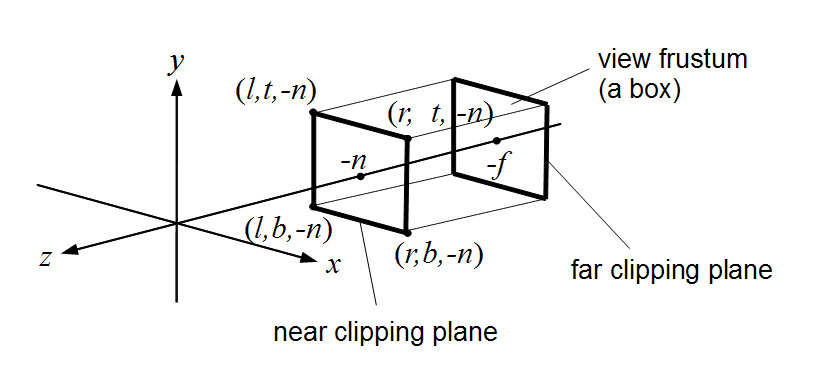
Last week everything lived in screen space, meaning UI, text, and debug elements were drawn directly relative to the screen. This week we move into world space, where objects exist in a shared coordinate system and the camera simply looks at part of it. The diagram above represents that idea visually, showing an orthographic camera’s viewing volume as a box that selects a portion of the world to display, rather than drawing everything directly in screen coordinates. This is the type of camera the engine uses, where objects keep the same size regardless of distance, which is ideal for 2D games.
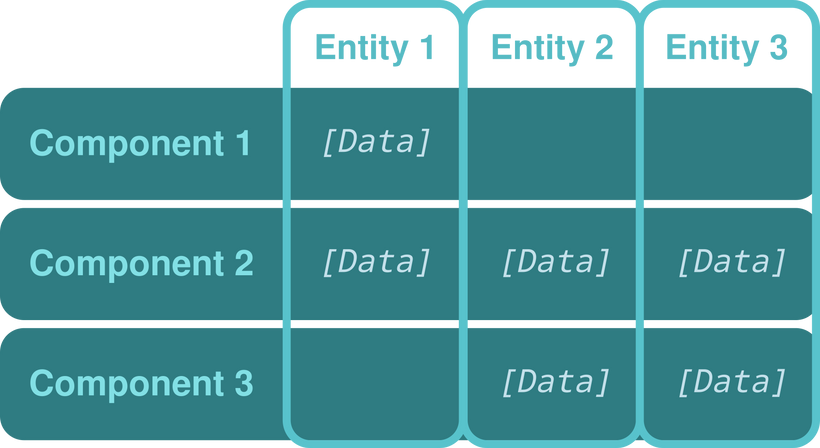
https://en.wikipedia.org/wiki/Entity_component_system
Once everything exists in a shared world, you need a way to manage large numbers of independent objects efficiently, which is where ECS comes in. In simple terms, ECS stops treating game objects as self contained bundles of code and instead treats them as IDs attached to data. The data for all entities is stored in large arrays grouped by type, such as positions, animation state, or sprite information, and systems iterate over those arrays to perform work. This means updating hundreds or thousands of entities is mostly just running tight loops over memory, which modern CPUs handle extremely well.
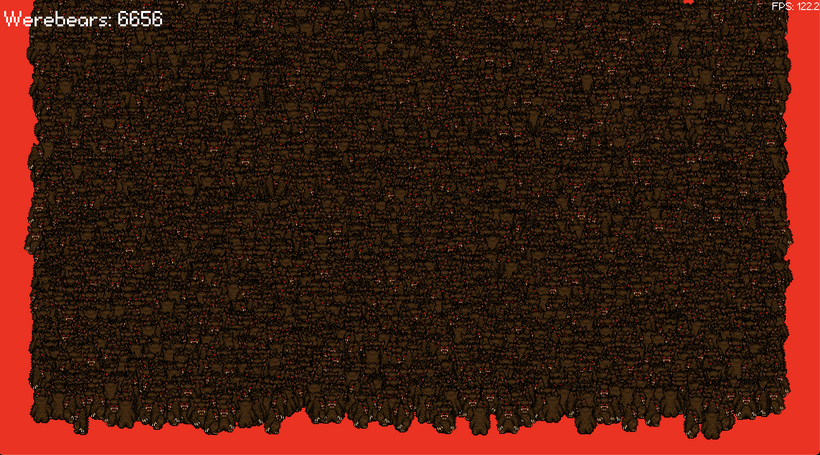
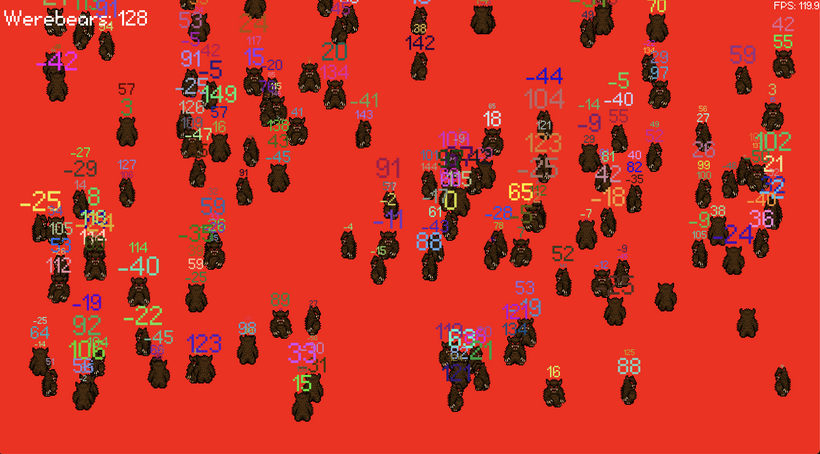
Click or touch to add more bears. How many bears can you add before your FPS tanks?
This demonstrates two key ideas working together: ECS for efficient simulation and GPU instancing for efficient rendering. The CPU updates the data for every entity, while the GPU draws many of them in a single operation. Instead of issuing one draw call per character, the renderer sends a batch of data describing all characters at once, dramatically reducing overhead.
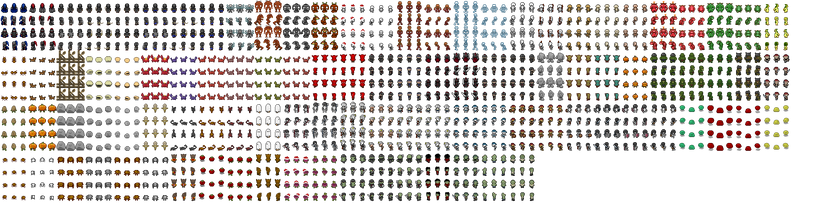
To render that many characters efficiently, the engine places sprite sheet graphics into a uniform texture atlas. The image above shows a portion of a 2048×2048 atlas page as it exists in GPU memory. Instead of loading each asset as its own texture, images of the same size are stored in equally sized slots on this page. Each slot holds one complete sprite sheet, allowing many different characters to share a single texture.
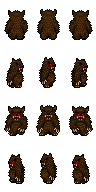
Within each sprite sheet, animation frames are arranged on a grid of equally sized rectangles called cells. Each Werebear does not change textures to animate, it simply selects a different cell inside its sheet. That selection is represented by two small numbers indicating the column and row of the frame, so updating animation only changes those coordinates while everything else stays the same.
The final piece is batching. During rendering, all sprites that reference the same atlas page are gathered together and submitted to the GPU as a single group. The CPU writes each sprite’s position and chosen cell into a buffer, and the GPU draws them all in one pass. This avoids thousands of tiny draw calls and expensive texture switches, which is why the engine can now fill the screen with animated characters while maintaining high frame rates.
Last week, text in the engine was drawn directly on the screen, similar to a heads-up display. That approach works well for menus and UI, but it meant labels, damage numbers, and debug information could not exist naturally inside the game world. As soon as the camera moved, those elements would stay fixed to the screen instead of following objects.
This week the text system was expanded so that text can also be rendered in world space. Instead of being tied to the display, text can now be placed at a position in the shared coordinate system and transformed by the camera just like sprites. As the camera pans or zooms, the text moves along with the objects it belongs to.
To support large amounts of dynamic text, the rendering pipeline was also rebuilt around batching. Individual characters are no longer drawn one at a time. Instead, the layout system converts strings into a set of quads representing glyphs, and those quads are submitted together in large groups. The GPU then renders all visible text in a small number of passes, keeping performance stable even when many labels are active at once.
Another important change was eliminating unnecessary memory allocations during rendering. Text in games often changes every frame, which can create hidden overhead if new objects are constantly created and discarded. The new system reuses preallocated buffers and pools of text objects, allowing animated or short-lived text such as damage numbers to appear and disappear without triggering frequent garbage collection pauses.
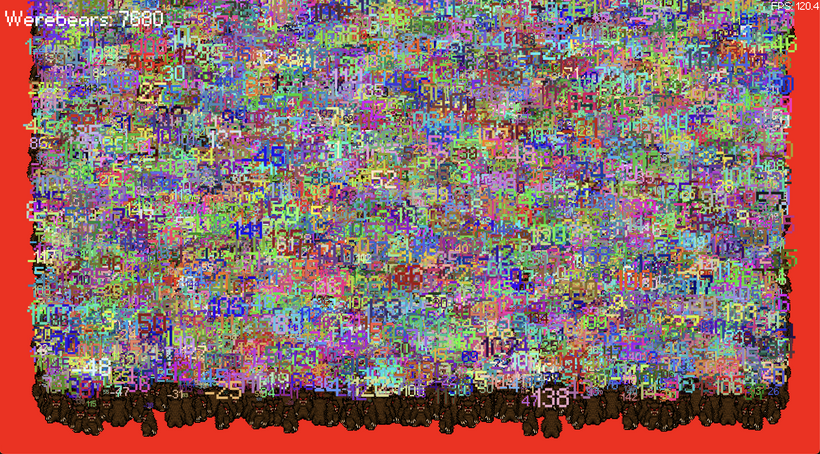
Because world text is often temporary, a stack system was introduced to manage multiple lines appearing above an object over time. Each entry tracks its lifetime and position, allowing new messages to push older ones upward while expired entries are recycled back into the pool. This makes effects like floating combat text smooth and predictable without increasing memory usage. It's essentially a port of the stack of text overhead code currently running in FO2 but for this new rendering system.
Finally, the renderer now supports both screen space and world space text using the same underlying system. Interface elements can still be drawn relative to the screen, while in-game labels use world coordinates. This unified approach simplifies the engine while ensuring consistent performance regardless of where the text appears.
https://werebear-with-text-stack.vercel.app/
Click or touch to add more bears.
How many bears with text stacks can you add before your GPU catches on fire?
The second demo brings all of these pieces together into a single stress test. Each bear on the screen is a full entity with a sprite, animation state, and a stack of floating text entries that appear, move upward, and expire over time. When you click, the engine creates new entities, assigns them sprite data, pushes messages into their text stacks, and feeds everything through the same world-space rendering pipeline. Internally this flows through a chain of systems: entity data is updated by ECS, sprite and text layout are generated on the CPU, those layouts are converted into batches of quads, and the GPU renders the entire scene in just a few passes. The result is a large number of independently animated characters, each with dynamic text overhead, all running smoothly because the renderer treats them as bulk data rather than individual objects.
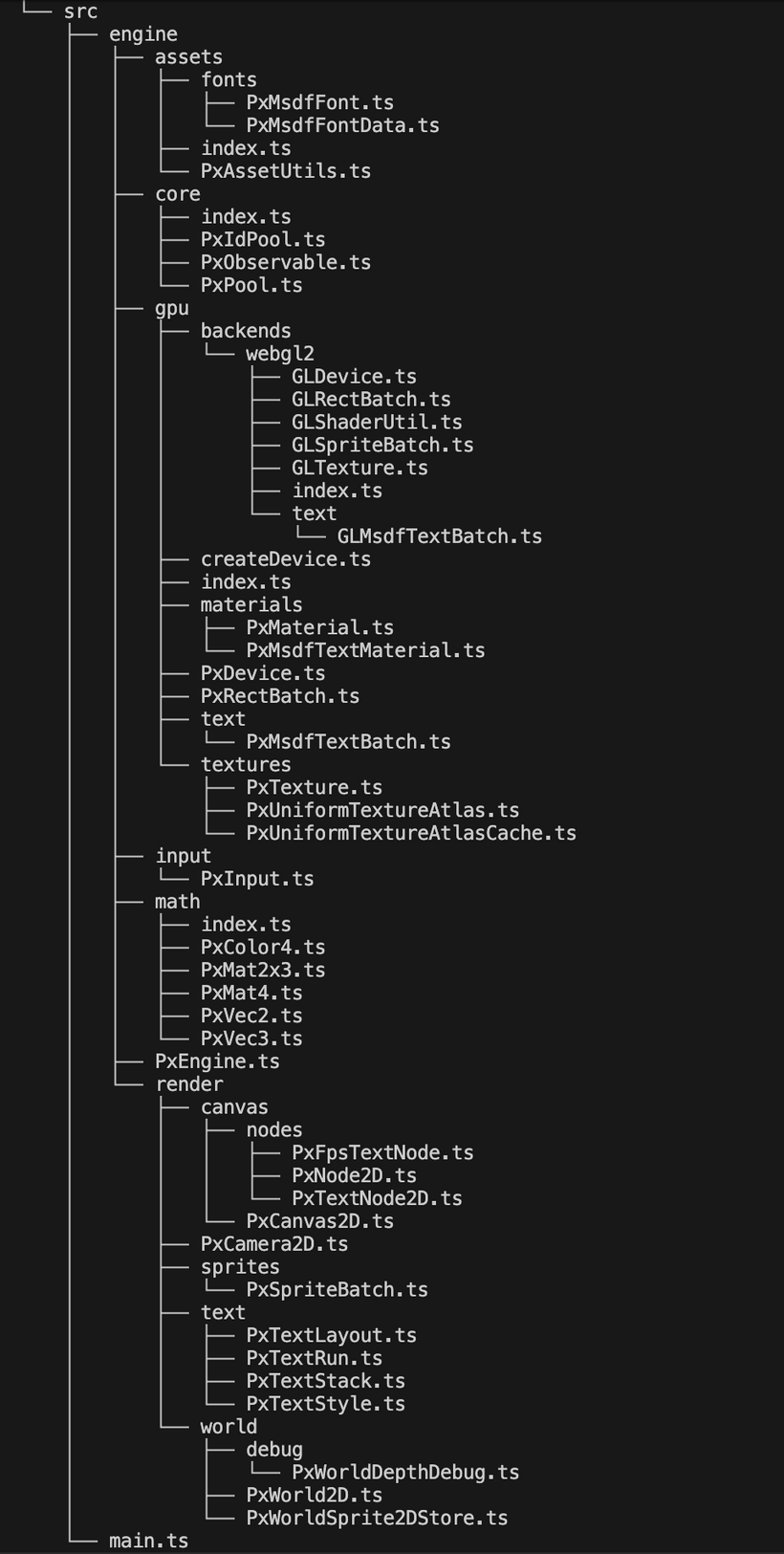
Can you believe we've only been working on this new PxEngine for 2 weeks? I mean, look at how big our project is already getting!
See you next Sunday for another big devlog!
Have Fun & Keep Gaming!