- Published on
Devlog #75 - PxSkillBookWindow
Previous: https://www.patreon.com/FantasyOnline2/posts/devlog-74-pxchat-161118297
Most of this week was supposed to be the Skillbook. It ended up becoming the thing that pulled a lot of the newer GUI work into focus. That is usually how these old client ports go. You start with one window, then suddenly that window needs better tabs, better search, better tooltips, better mobile sizing, better server feedback, and a bunch of shared controls that were almost good enough until a real feature started leaning on them.
The old Skillbook did the basic job. It showed the skills you owned and grouped the ranks together. That part was worth keeping. The problem is that a straight copy would not be enough in the new client. You need to be able to find a skill fast, see every rank you own, and use the exact rank you want without digging through extra screens. The Skillbook cannot just be a reference window anymore. It needs to work better during normal play.
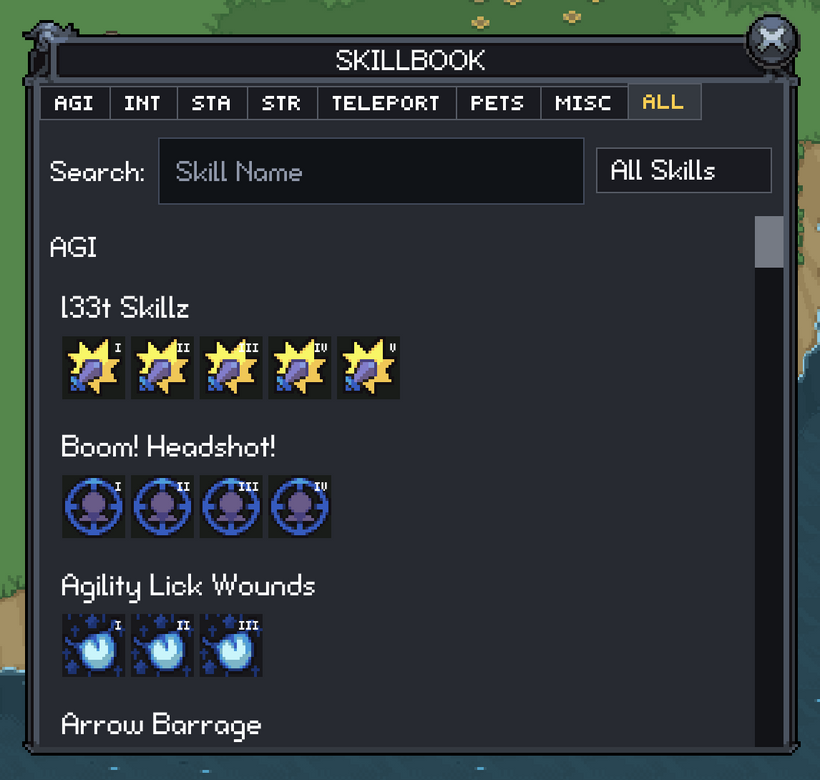
Skills are now grouped by name, with every owned rank sorted together by rank and required level. The main tabs are Agility, Intellect, Stamina, Strength, Teleport, Pets, Misc, and All. The stat tabs make it easier to browse skills that fit your build, while the other tabs keep teleports, pets, and stranger skills from getting buried. Search stays visible on every tab, and the filter menu changes based on what you are looking at. Teleports can be split by level range, pets can be filtered by their dominant stat or no stat requirement, and the All tab breaks the full collection into sections that are much easier to read. If a filter would show nothing, it does not appear.
The client also does more with skill definitions as they load. It derives the useful display information from the server data: dominant stats, broad skill type, target requirements, rank order, and the level range used by the filters. That data is reused when building the Skillbook instead of every part of the window guessing for itself. The grouped results rebuild when the language changes, and the tab names, filters, section titles, search text, and empty results all go through localization.
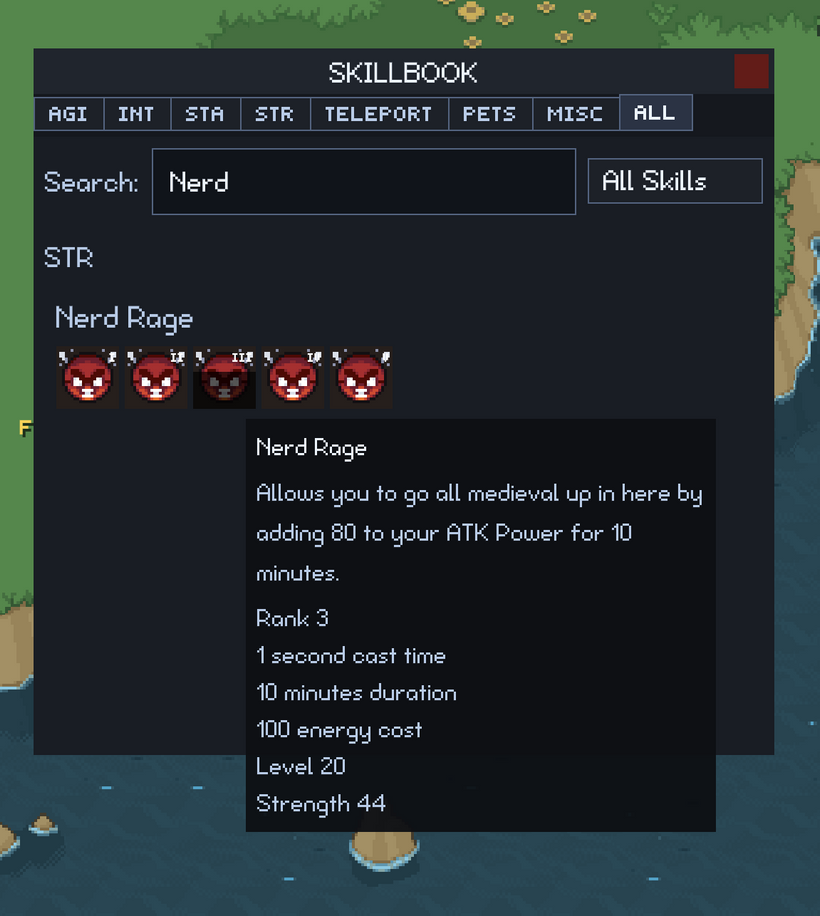
Casting from the Skillbook was another huge upgrade. The hotbar was already mostly in place from earlier work, so I did not want to build a second casting path just for this window. Pressing a rank goes through the normal requirement checks and uses your current target. If that exact rank is already on the hotbar, the client sends the normal hotbar cast request. If it is not on the hotbar, the Skillbook sends a direct cast request instead. That means you can use any rank you know without rearranging your hotbar first.
The cast display also waits for the server instead of lying to you. When you press a rank, that slot is held briefly as a pending cast. The progress only starts when the real cast-start message comes back, and it stops when the cast stops. If the request fails, the Skillbook does not leave a fake casting animation behind. The rank buttons reuse the same skill slot and tooltip behavior as the HUD, so icons, descriptions, cast progress, and feedback all stay consistent.
The layout had to hold up on desktop, phones, and weird screen shapes too. Rank buttons wrap when the window gets narrow, the list scrolls normally, and short landscape screens reserve room for the hotbar instead of letting the Skillbook cover it. It still feels like the old Skillbook where it should, but it is faster to search, easier to read, and actually useful while playing.
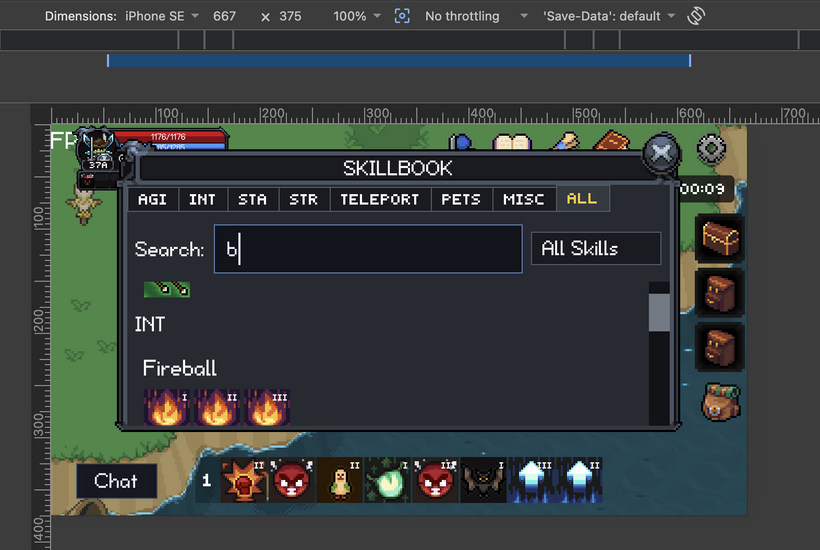
Building the Skillbook also exposed some annoying drift in the shared GUI controls. Text inputs had started handling alignment, padding, caret placement, and placeholder text a little differently depending on the window. That all got pulled back into the engine text input. Tabs, combo boxes, suggestion popups, checkboxes, tooltips, and text buttons also got another skin pass. It took longer than styling the Skillbook by itself, but the next searchable or tabbed window should not need to repeat the same cleanup.
PxChat got another hardening pass after the big implementation from the last devlog. I went back through guild and party commands, invite prompts, friend requests, ignores, whispers, command suggestions, and the social drawer against both the old client and the server. The client can make commands easier to find and make the results nicer to read, but it should not invent social state that the server has not confirmed. Whispers and friend commands no longer create fake recent conversations, ignored characters cannot surface friend requests or guild invites, guild messages and command feedback are localized, and command suggestions now follow what you are typing more closely.
A lot of the remaining chat trouble was on mobile. The iOS simulator found cases where the software keyboard could open, close, rotate, or lose focus while the HUD still thought it was open. Chat now reacts better to keyboard insets, focus changes, small landscape screens, mobile Safari, and the Expo app. I also added a portrait gate for mobile browsers, so if you open the game in portrait, you get a rotate screen instead of a broken client. Expo stays locked to landscape right, and desktop does not go through that path.
While testing those layouts, I cleaned up a few other interface problems. Quest dialog text had become too large, so I brought it back down to a more readable size. Oversized NPC portraits were fixed so they no longer clip awkwardly inside the dialog. I also cleaned up a few windows that were starting to feel too much like a generic web interface and pulled them back toward the pixel-art style of the rest of the client.
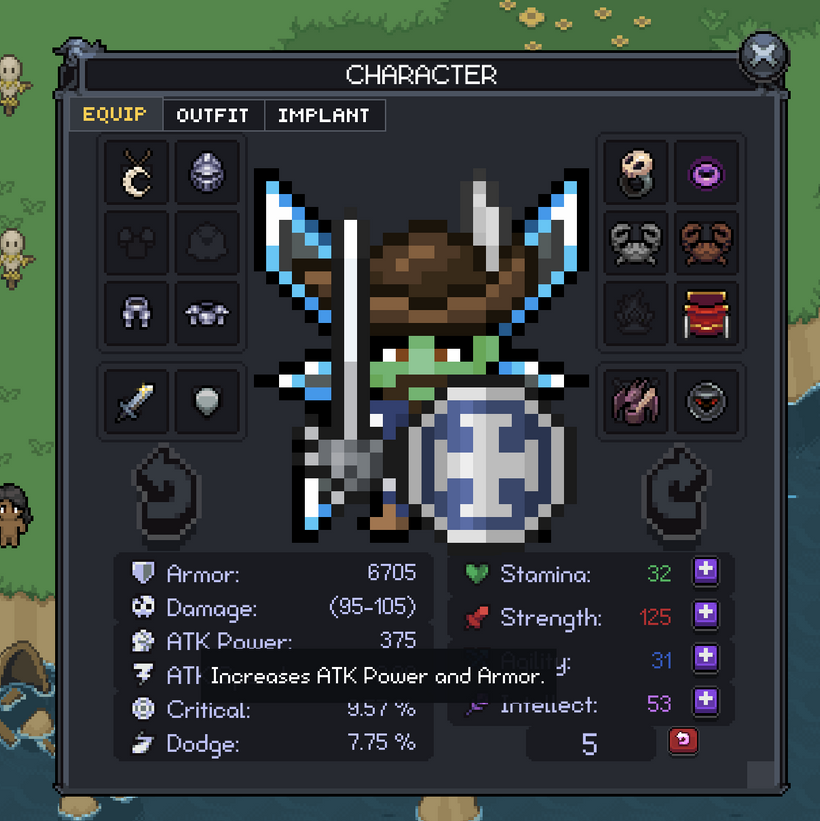
The character equipment window got a useful pass too. Stat and attribute tooltips from the old client were ported, localized, and made to work with desktop hover and mobile taps. The equipment and stat rows now explain what their values mean, and the remaining stat points value has its own tooltip as well. You should be able to understand the character sheet from the client itself instead of needing outside notes or old-client memory.
I also did another broad review of the old client to get a clearer picture of what still needs to move over. I am trying to separate behavior that matters from old UI decisions that only existed because of how that client was built. Feature parity still matters where it affects the game, but that does not mean every old layout has to be copied exactly. Sometimes the old client gives me the behavior to preserve. Other times it only shows the problem the new client needs to solve better.
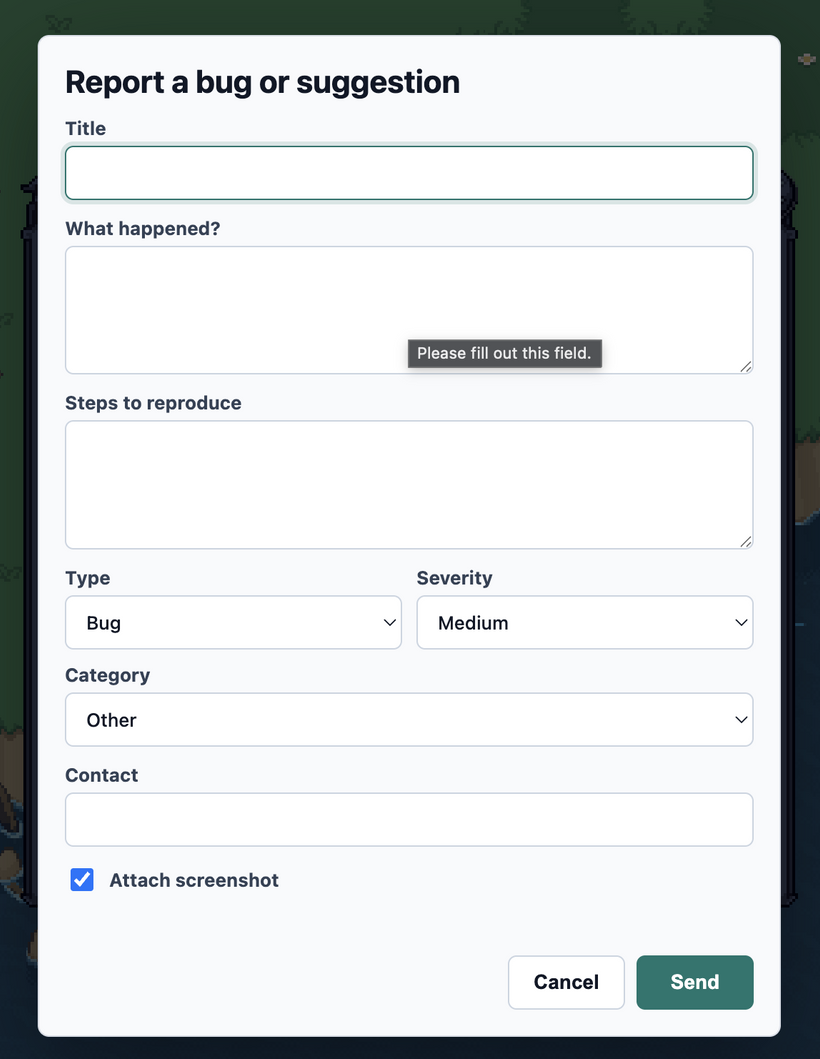
Reporting bugs also needed to be easier before the client gets used in more real conditions. The settings window now has a clear REPORT A BUG entry, and the app keeps recent sanitized console context that can be attached to manual reports and real uncaught errors. Normal console errors are kept as context, but they do not automatically create reports by themselves. I also added a shortcut hint in chat so you know how to open the reporter when something goes wrong.
Audio was another big piece of work. The engine now has a Web Audio layer with master, music, combat, and interface groups, and those settings are saved through the same settings system as the rest of the client. Audio unlocks correctly after user interaction, and zone music now plays through the engine instead of living off to the side as a special case. Music loads from the audio CDN with cache busting, GUI sounds are routed through GUI events, shop sounds play after the client accepts the action, and skill target sounds can be positioned using the actors in the world.
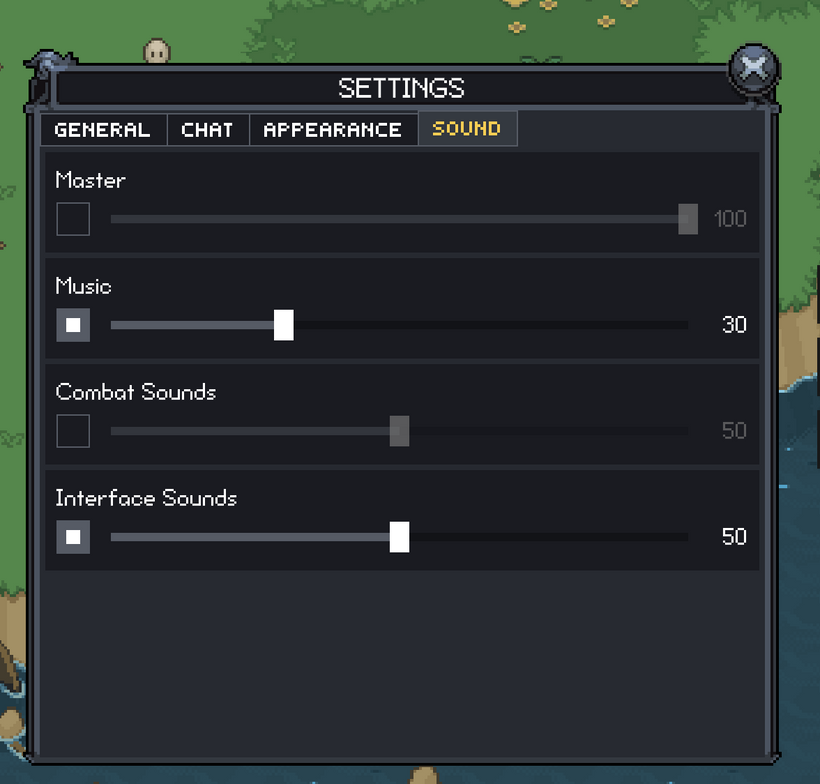
I am holding off on assigning sounds to everything until more of the functional port is done. Dropping in whatever sound is nearby each time an action gets ported would be quick, but the mix would probably have to be redone later. For now, I want the systems to know how to request, route, preload, position, and control audio correctly. Once more of the game is running through the new client, I can do a proper sound pass and make the whole thing feel more responsive.
The Skillbook and settings work also pushed another cleanup of GUI metrics. I have been separating values by what they mean instead of reusing one number because two things happen to look similar right now. The gap between buttons is not the same thing as padding inside a window, and neither one is the same thing as a safe inset from the edge of the screen. PxGuiMetrics is now grouped more clearly around those meanings, while game-specific values like item and skill icon sizes stay outside the skin. That should make later adjustments safer because changing one kind of spacing will not quietly move a bunch of unrelated controls.
The settings layout itself is simpler now. It no longer tries to rearrange controls through a shifting two-column layout as the window changes size. Each setting is treated more like a full-width row inside a fixed app window, with scrolling when the content does not fit. It is easier to read, less fragile on smaller screens, and easier to extend.
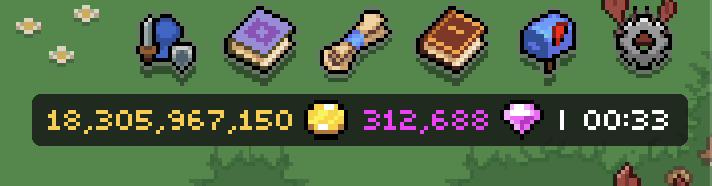
I also added the first generic rounded-corner support to the GUI renderer. This is engine support, not an image made for one panel. GUI nodes can now draw rounded background rectangles through the existing solid rectangle batching path, and the default remains cornerRadius: 0, so existing controls do not change unless a skin asks for it. The first use is the currency and clock panel in the top-right corner, which now has the darker rounded look from the old client.
All of this testing shook out several gameplay bugs. Clicking to move after teleporting to a negative Z map could route you through the wrong map layer, which is fixed now. Some special death and loot animation filenames were being handled incorrectly, leaving dead mobs standing in place and blocking looting. Click-to-attack was restored after a GUI and picking regression, and the old consumable and live-action restrictions were ported so blocked actions give the correct notification instead of silently doing the wrong thing.
Production builds got another boring but important fix: cache busting for map assets. Cloudflare can hold onto old map files longer than the client expects, which can leave a new client running against older map data. Those bugs are miserable to reproduce locally because the local files are already in sync. The versions file now covers the different map asset categories as well as the normal app assets, so a deployment can move the client and map data forward together.
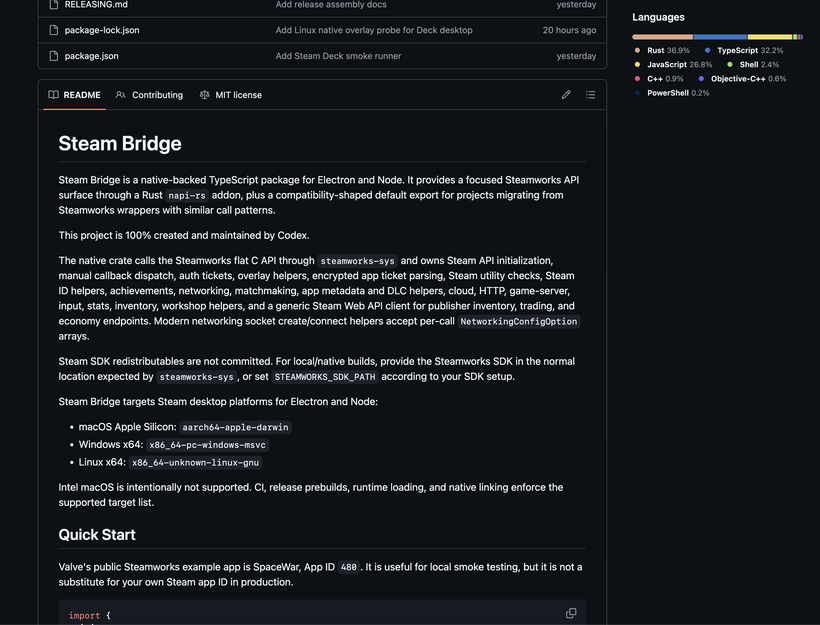
Separate from the FO2 port, I started a small open-source experiment called Steam Bridge: https://github.com/jstroh/steam-bridge. FO2 currently uses https://github.com/ceifa/steamworks.js/ for Steam integration, and it has been useful, but it has not been moving at the pace or in the direction I need. There are also Electron problems that matter for a game, like overlay issues on macOS and duplicate windows appearing after Alt+Tab on Windows 11. I wanted to see what it would look like to build something with more Steamworks coverage and more control over the desktop side instead of adding workarounds forever.
This is my first time using OpenAI Codex on a real project. I picked Steam Bridge because wrapping Steamworks is hard even for experienced programmers. The Steamworks flat C ABI has to be represented correctly in Rust, passed through the Node native boundary, and then exposed again as a clean TypeScript API. Types, callbacks, handles, constants, strings, memory ownership, errors, and platform differences all have to line up across every layer. A tiny mismatch near the native API can show up as a completely different problem by the time it reaches TypeScript.
That is also why it is an interesting OpenAI Codex test. A lot of the work is careful mapping: take a structured native API, carry it through Rust, carry it through TypeScript, keep the names and types consistent, add tests, update docs, then repeat. It is difficult and easy to get wrong, but it has a lot of patterns. That is exactly the kind of work an LLM should be good at if it can stay consistent over time.
The rule for the experiment is simple: Steam Bridge is written and maintained by OpenAI Codex. That includes the native implementation, Rust layer, TypeScript API, tests, docs, commits, CI fixes, and bugs. I choose the next area, review the output, and verify the result, but I am not writing the project’s code myself. I am still writing the FO2 client and PxEngine code. Steam Bridge is separate from the game work, which makes it a cleaner way to test OpenAI Codex without handing it part of FO2.
I have been growing Steam Bridge in small coverage slices instead of asking OpenAI Codex to generate the whole library at once. Each slice adds another part of Steamworks support and has to leave the native bridge, Rust code, TypeScript API, tests, docs, validation, and CI in a good state. It took three days with OpenAI Codex running around the clock to reach coverage for all 913 Steamworks entries currently tracked by the project. That was not one prompt producing a finished library. It was three days of moving through the API piece by piece, running validation, checking CI, finding problems, and having OpenAI Codex fix them before continuing.
The target platforms are Windows, Linux, and Apple ARM. I do not know yet whether Steam Bridge will become FO2’s long-term Steam layer, but it is already a much better test than a throwaway demo. OpenAI Codex has to keep a difficult native open-source project understandable and working as it grows, and any bugs found in the project will keep going back through OpenAI Codex instead of me stepping in and patching the code myself.
Back on the FO2 side, I also rewrote the in-game Mail window. The old mailbox worked, but it got cramped fast once an account had a lot of rewards waiting. The new version uses the same general window structure as the Skillbook and Quest Log, with a virtual scrolling list so it only has to manage the visible rows. That keeps it smooth even with hundreds of mail entries.
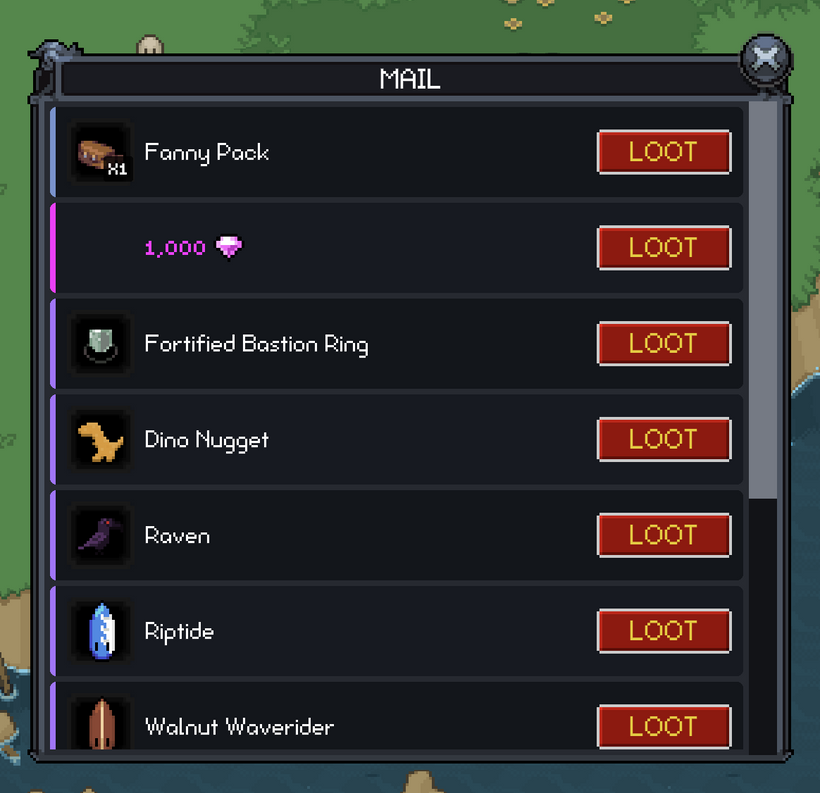
The rows are now built around the reward instead of looking like generic list items. Stackable items show their count directly on the item icon, unique items get a different visual treatment, and currency rewards use the same coin and gem display as the rest of the client. Claiming a row marks it as pending while the server processes the request, which gives immediate feedback without pretending the reward arrived early or letting repeated clicks spam the same request.
The mailbox also has a new top-right HUD button using the old mobile mailbox art. It has empty and full states, so you can tell when mail is waiting without opening the window. New mail triggers a localized notification, and the window uses the same skin and localization systems as the other retained GUI windows instead of carrying its own styling.
I restored the old floating currency gain feedback while working on mail too. When you gain coins or gems, the amount appears above your character again. Claiming currency from the mailbox now feels connected to the world instead of only changing a number in the corner of the HUD.
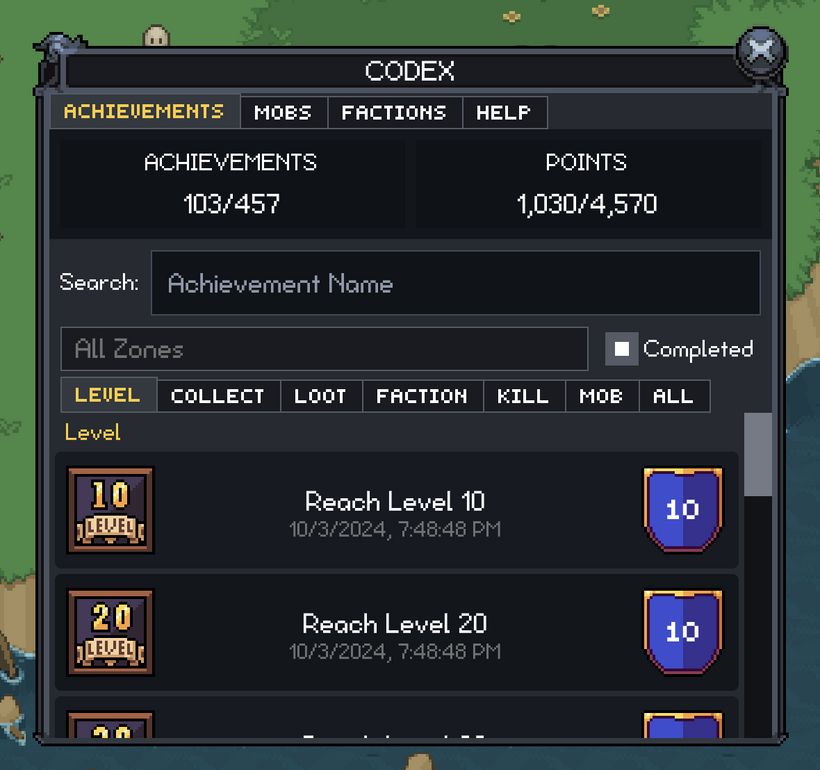
The in-game Codex moved forward too. The new Codex window is now wired into the top-right HUD with its own shortcut and tooltip, and it opens into a tabbed window with Achievements as the first page. The Achievements tab was rebuilt around the newer GUI patterns that the Skillbook and Mail window are already using: skin-driven sizing, localized text, category tabs, search, zone filtering, completed filtering, virtual scrolling, cleaner rows, centered achievement point shields, and a top summary area that holds up better as the window changes size.
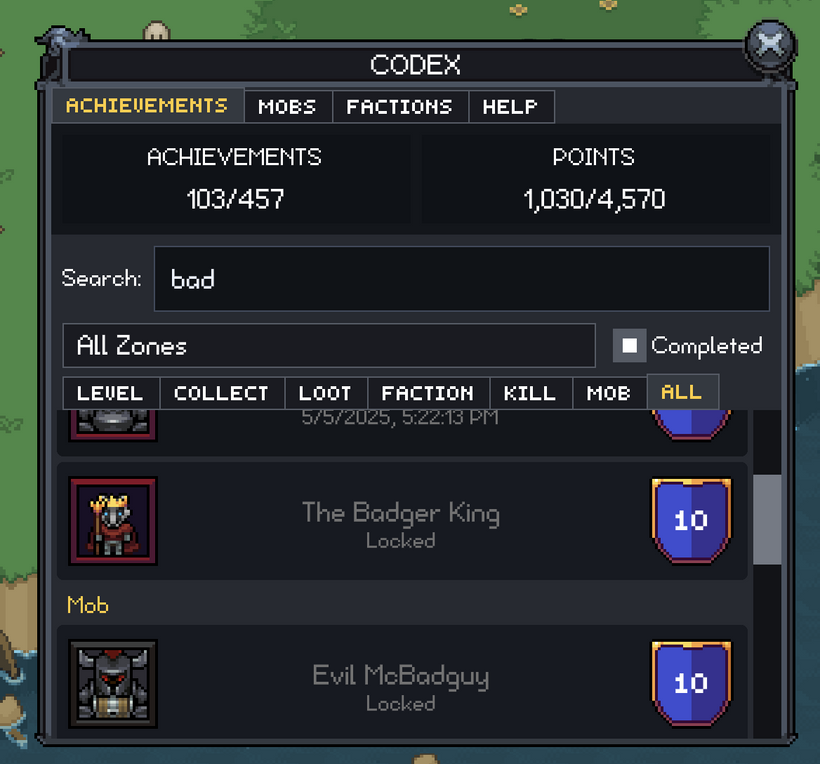
Achievement unlock notifications were ported along with it. They now use a simple black alpha background instead of an image-backed panel, and they wait for the achievement art and points icon before showing. Unlocks queue in order, sit below the normal notification stack without overlapping it, and stay visible long enough to feel intentional. I also added a test hotkey for QA, and the notification panel now has the asset-prep path needed for richer notifications later.
The achievement data path got cleaned up as well. Zone sorting now uses the zone store’s level-aware comparison, hidden debug zones are filtered out, and faction achievement filters can use faction-to-zone data derived from faction XP mobs instead of guessing from whatever mobs are currently loaded on the client. Cache versions and locale strings were updated where needed, and the English and Spanish locale key sets were kept in sync.
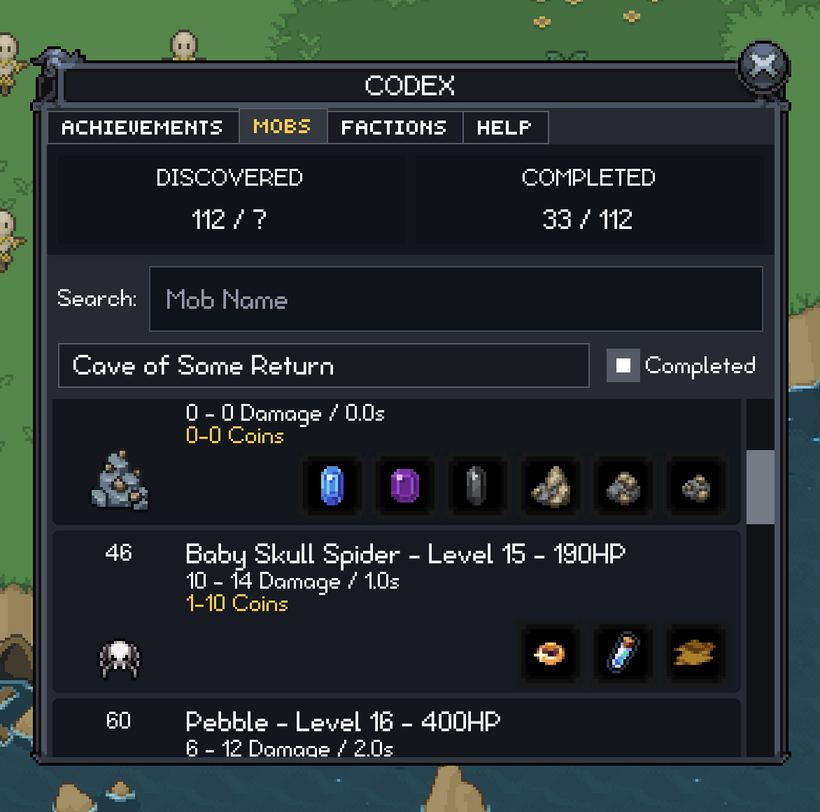
The old-engine Mobs tab has also been ported into the new Codex as a lazy-loaded page. It waits until the Mobs tab is opened before loading mob definitions, uses the shared zone filter combo box, excludes Dino Playground, groups mobs by zone, and sorts those zones by level. It also keeps the old unlock behavior: damage appears after 10 kills, coin drops after 20 kills, and loot icons only appear after you have actually looted those items. The list uses the shared virtual scroll system, and recycled rows clear their mob and item resources so stale images do not hang around.
A new mob stats store now ingests the character statistics payload for mob kills and looted items. The first payload is treated as the baseline, so you do not get spammed with discovery popups as soon as you log in. After that, newly discovered mobs and newly looted items can trigger image notifications. Those notifications wait for the needed definition and image data before appearing, so they do not pop in half-loaded.
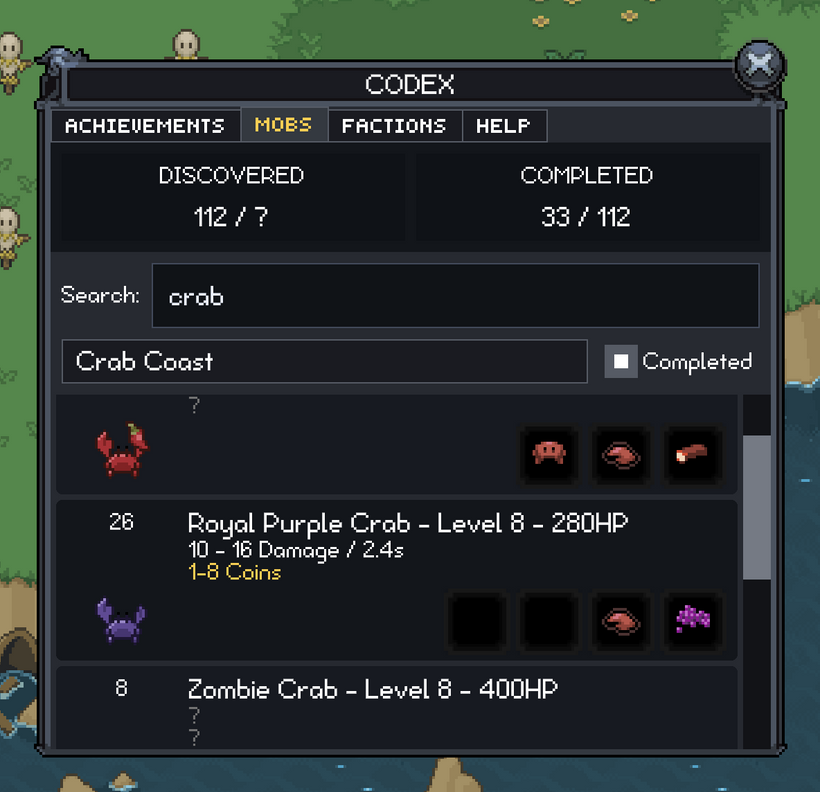
The Skillbook, Mail, and in-game Codex are the parts you will notice first, but the bigger picture is that the new client is getting less painful to build on. Chat is more reliable, mobile layouts are less fragile, character and quest information is clearer, audio has a real place in the engine, reporting is easier, production asset loading is safer, and more old-client windows are becoming real retained GUI systems.
As always, please post comments or feedback here, on Discord, or email me.
Next devlog is in 1 week.
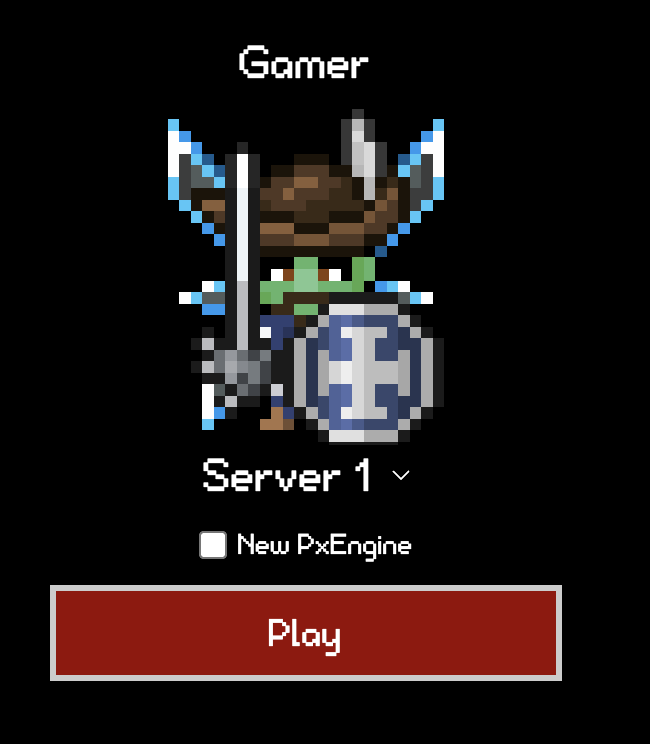
P.S. - I added a "New PxEngine" checkbox to the main 4 characters so you can better see how PxEngine is progressing! Press F8 to report any bugs you find!
P.P.S - A new roadmap will be posted on Friday, July 3rd! How is 2026 already half over?!?
And here's some footage of a low level character discovering things related to this devlog.