- Published on
Devlog #76 - PxCollectorWindow & PxCraftingWindow
Previous: https://www.patreon.com/FantasyOnline2/posts/devlog-75-161657297
This week started with the Collector. That was supposed to be the main port, but it quickly turned into the usual PX problem: one old window comes over, then it points at a bunch of shared pieces that are close but not quite ready yet.
The old Collector worked, but it was very much an old-engine window. One big class handled the layout, filters, list, rows, collection state, and summary text. That is fine when you just need a feature to exist, but it gets painful once more windows need the same search, filtering, sorting, pending states, and item interactions.
The PX version is split up more cleanly. The window is the window, the list model handles filtering and sorting, the toolbar handles search and filters, the rows handle their own display, the collect target handles the drop area, and the collected item state lives outside the GUI. You do not really see that when you open it, but it makes the window much easier to polish without turning it into another special-case pile.
The first PX pass technically worked, but it did not feel enough like FO2. I ended up pulling it closer to the old layout because that version had the better shape: item list on the left, filters on the right, and the collect target across the bottom. The new version has Collected, Missing, and All tabs, search, type and subtype filters, min and max level filters, sortable columns, and item withdrawal.
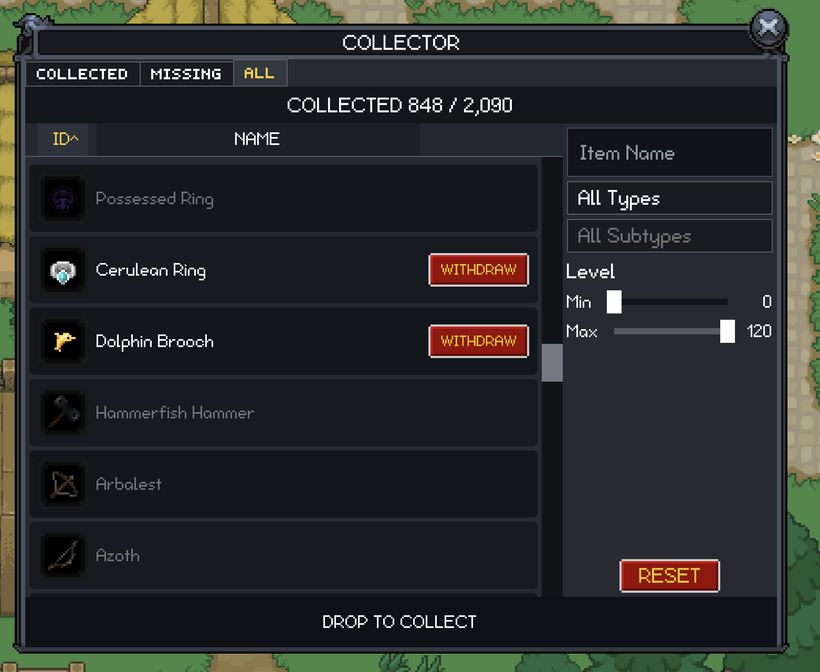
A lot of the Collector polish was just getting it to stop feeling custom. The spacing, panel padding, button sizes, and text sizes were cleaned up so it fits the rest of the client better. The reset button moved away from the main controls so it is harder to hit by accident, the right side got tightened up, and item rows went back to the normal readable text scale.
Search is better too. It can match localized names, English names, and item ids, and the window has proper loading, failed-load, and empty states. Dragging an item into the collect target works, but you can also use item quick actions from the inventory while the Collector is open. That is better on mobile, and it is better when you are going through a lot of items quickly. Deposits and withdrawals now show pending state as well, so if the client is waiting on the server, the row and bag slot can show that something is already happening instead of letting you spam the same action.
Tooltips got some useful cleanup during this work. Sell price is shown more consistently, collectible actions appear when they should, learned consumable skill items can show that they are already in your Skillbook, and faction requirements now show the faction and notoriety rank instead of a raw XP requirement. Those are small details, but they make item requirements much easier to understand.
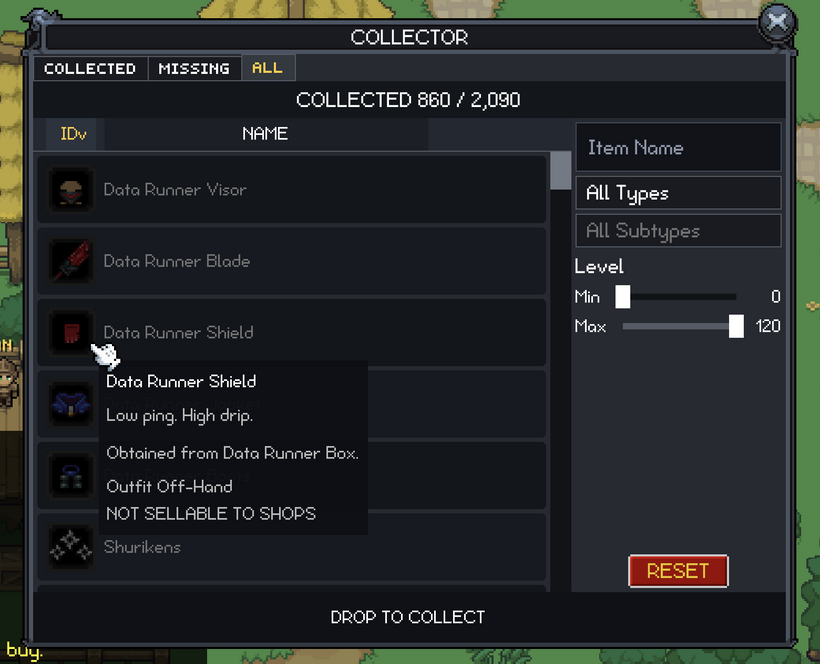
One piece from the Collector was worth pulling out for future windows: the sort header. Future lists are going to need sortable columns too, especially anything Market-like, so it should not live only inside the Collector. It is now a shared GUI control instead of another copied implementation.
The in-game Codex kept moving too. The Factions tab has been ported into the Codex instead of living inside the character window. That makes more sense for the new client. The old tab felt like character stats. The new one feels more like discovery and progression, sitting next to Achievements and Mobs.
The Factions tab has a summary area, filters, a zone dropdown, a Completed checkbox, and a virtual scroll list. It shows discovered factions, faction ranks, and progress bars. It also fixes an old issue where newly discovered factions did not always appear in the list right away.
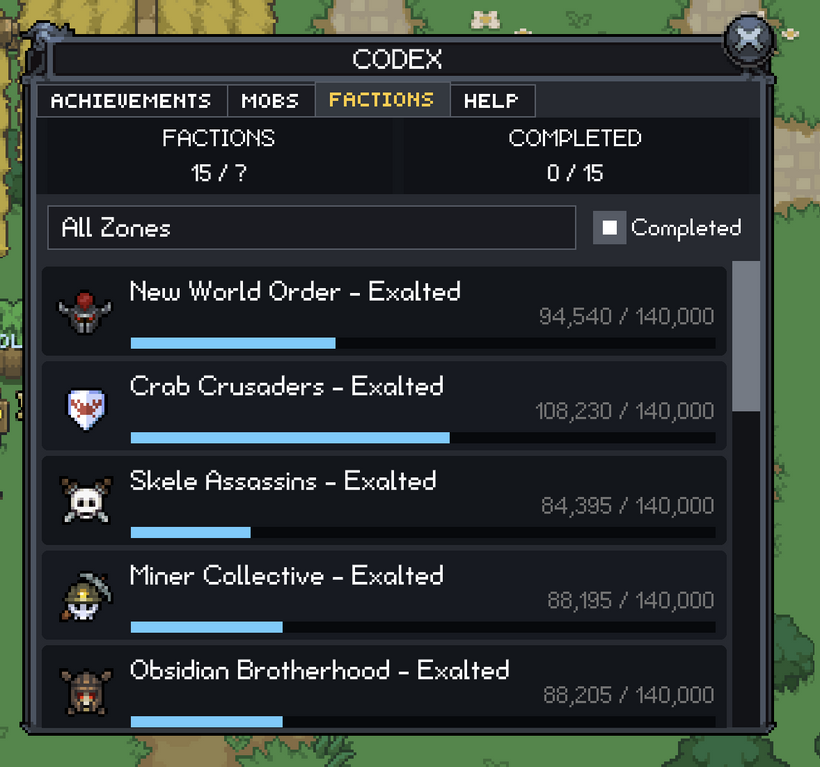
The new version is easier to browse. It can count completed factions, filter by zone, and hide completed factions when you are looking for what is left. The zone filter is using the faction-zone work from earlier too, so factions can be tied to the zones where their XP-giving mobs appear instead of guessing from whatever mobs happen to be loaded on the client.
The progress bars got cleaned up too. The bar now represents progress through the current rank, so if Friendly starts at 3,000 faction points, being exactly at 3,000 shows the start of that rank instead of a mostly filled bar. It sounds small, but the numbers and bar finally agree with each other.
Faction discovery notifications were added as well. When you discover a faction, it now uses the same general image-and-text style as mob and item discovery. Achievement unlocks still stay separate because those have their own timing and presentation rules.
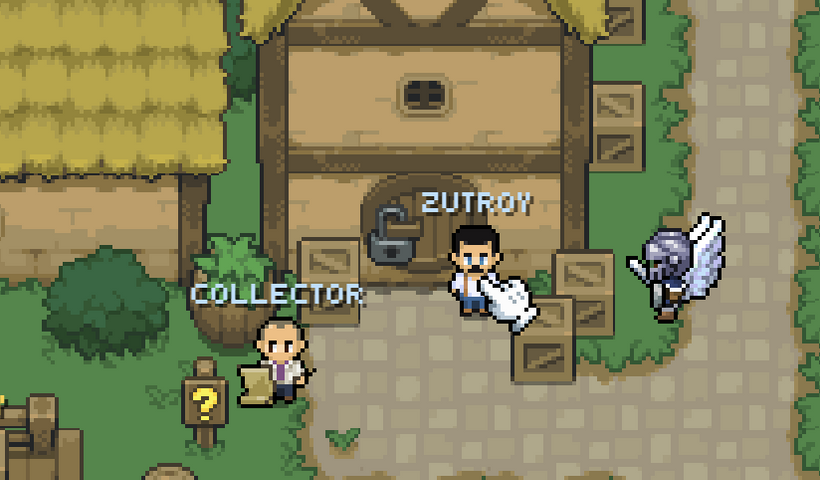
The software cursor was another port this week. The cursor art came over one-to-one, so move, NPC, loot, enemy, attack, grab, and disabled still look like the old client. The behavior should feel familiar too. Dragging shows grab. NPCs and GUI controls show the NPC cursor. Loot and dead actors show loot. Hostile actors show enemy or attack depending on selection. Blocked world positions show disabled. Normal movement shows move.
The cleaner part is underneath. In the old engine, a lot of cursor behavior was packed together with picking, hover names, drag state, and movement checks. In PX, the game decides which cursor should show, the renderer draws it, and the web layer handles when the browser cursor should be hidden or restored. There is still a Chrome edge case where the native cursor can flash when re-entering the canvas from some edges, but the client-side state is much better now, and the old extra hacks that did not really fix it are gone.
Crafting was the next big window. The first PX version drifted too far from the old flow, so I rebuilt it around what the old engine did well: one row per recipe, with everything you need right there. Ingredients, costs, time, result, and the Craft, Finish, or Collect button all live on the row.
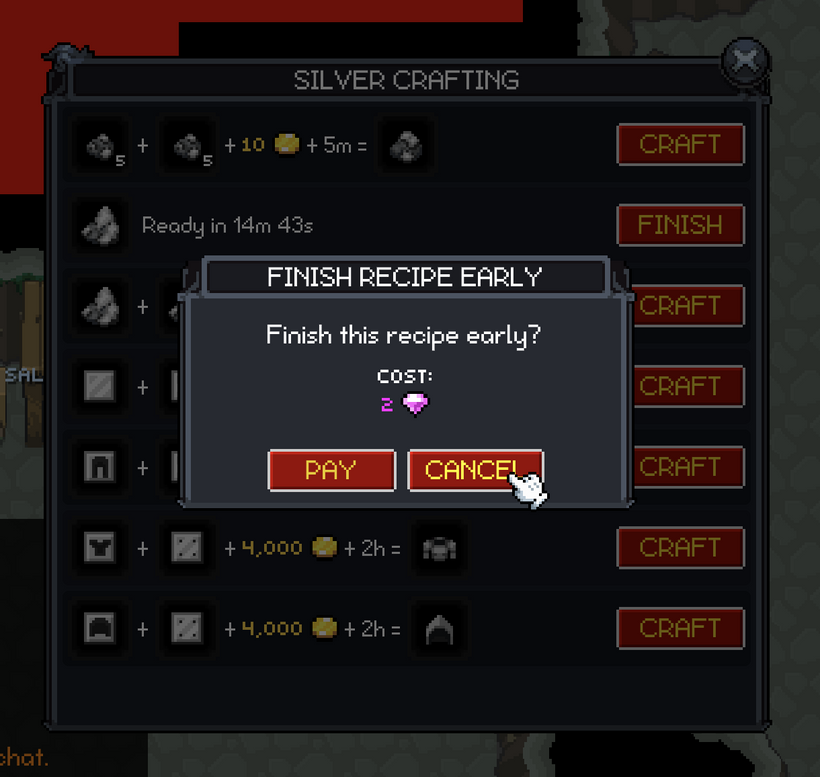
The row layout took a lot of tuning. More recipes fit on screen now, stack counts show correctly on ingredients, time text is easier to read, and the row contents stay centered without weird clipping. It is much closer to the old one-click crafting flow while still fitting the newer PX window rules.
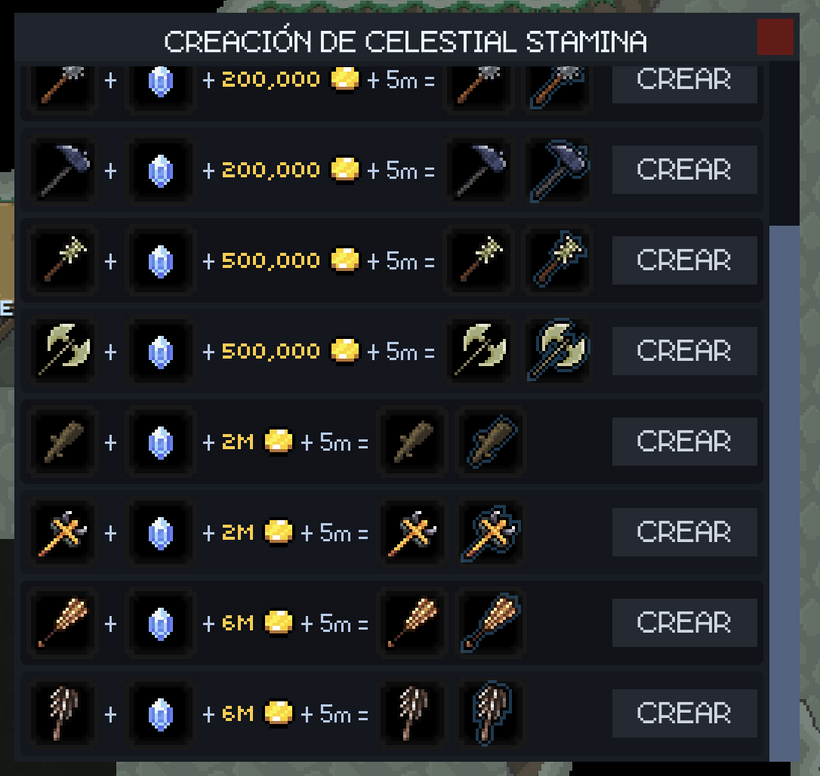
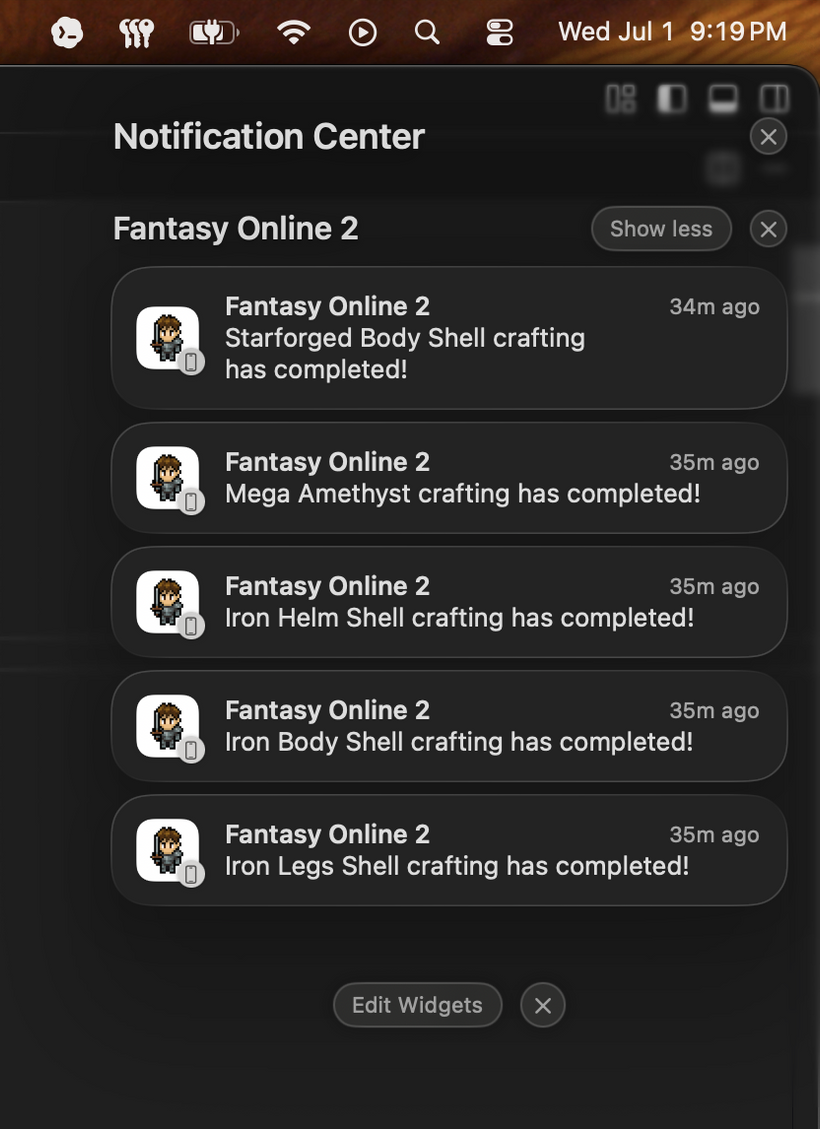
The bigger crafting change was push notifications. A local timer in the client is not enough because you might start a craft and leave the game. Now, when a craft starts, the server can schedule a push notification for that exact craft. If the craft finishes or gets collected early, the notification can be canceled or skipped.
The server still does the real checking. It verifies the craft from the database before scheduling or sending anything, and repeated requests do not create duplicate notifications for the same craft. When the craft becomes ready, the server checks it again before sending, so finished or collected crafts do not still notify you later.
The notifications now use item-specific text too. Instead of only saying that crafting is ready, the notification can name the crafted item, and the payload can include the item icon. Android and browser notifications can use that image more directly. iOS still uses the app icon as the main notification icon unless we add a richer native notification extension later.
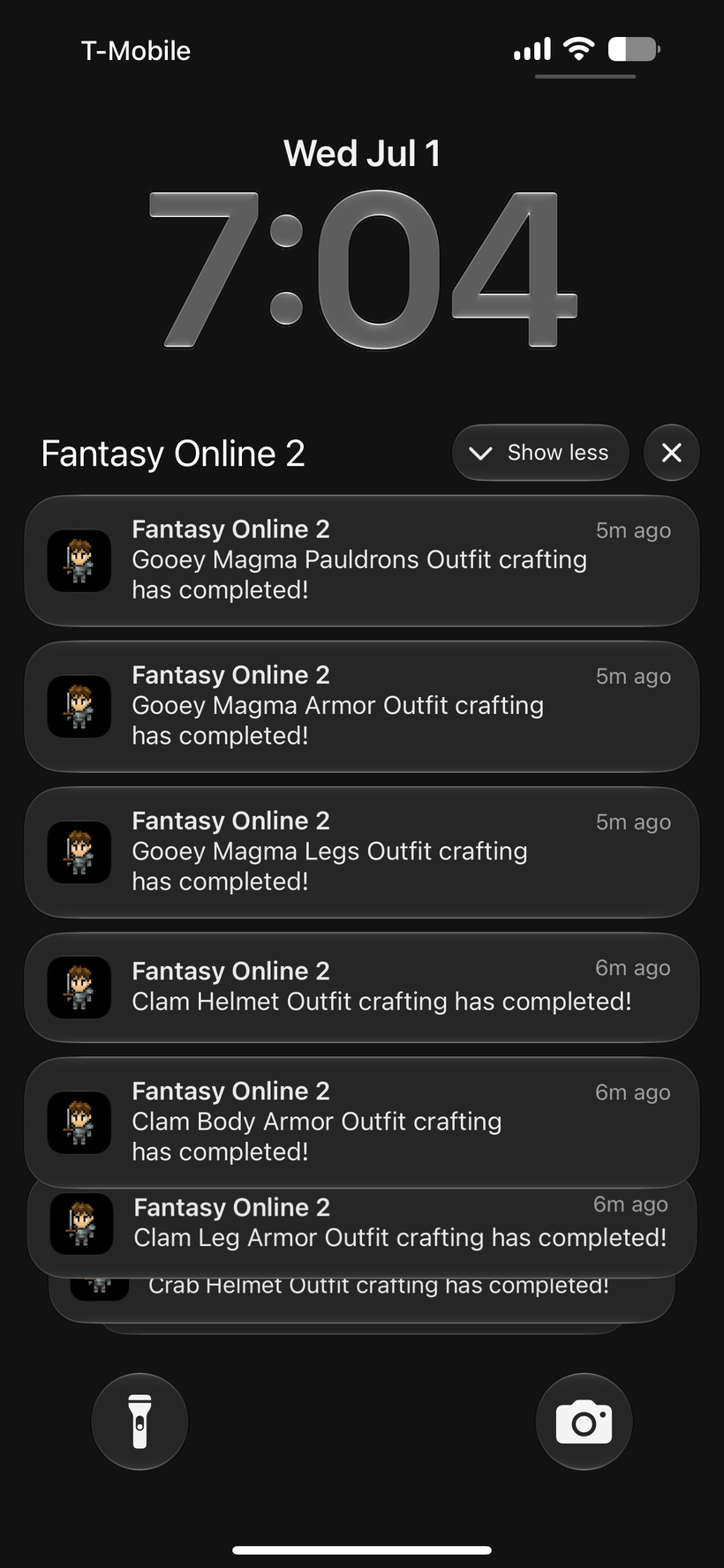
I tested this with real iron crafting recipes. Multiple recipes were queued, delivered, and checked through the database and device push behavior. At least one mobile notification came through on a real phone, so the full path is working from craft start, to server queue, to device notification.
The mobile shell got a lot of work around that too. The game still runs through a WebView, but the wrapper is becoming more like a real mobile client instead of just a browser container. That matters for push notifications, purchases, subscriptions, device state, audio behavior, and keeping login reliable after the app has been open for a while.
I upgraded the mobile app to the newest Expo SDK and cleaned up the iOS release path so TestFlight builds are less painful when the native side changes. The mobile app also has a PX Engine toggle on the main screen now. The normal production path still loads the regular client, but this gives us a clean way to let more people try the PX client on mobile when it is ready. I kept it outside the brittle login and purchase paths on purpose, so testing PX does not risk the parts of the app that already work.
The WebView can talk to more native mobile features now too. The client can ask the wrapper for haptics, keep-awake behavior, network status, app lifecycle state, and audio behavior. Most of that is not flashy yet, but it is the kind of plumbing mobile games need if they are going to feel native instead of trapped inside a web page.
Push notifications got a full mobile pass. iOS was tested end-to-end on a real phone, including the hidden-folder case, and the notification path now has enough structure to support real gameplay events like crafting completion. Android push setup moved forward too. Mobile login also got less fragile: tokens now live in the secure native store, older saved tokens can migrate forward, and temporary network problems should not immediately throw you back to the login screen.
After that, the work shifted into the Gem Shop. The PX client now has a Gem Shop button in the top-right window buttons, using the same remote mobile art path as the other HUD buttons. The shop itself is split by platform because buying gems and subscriptions is not the same on the main website, mobile, CrazyGames, and Steam.
On mobile, purchases are handled natively and then bridged back into the game client. Gem notes still follow the existing mail delivery model, and subscriptions are being wired into the same reward systems used by the older platform-specific subscription paths. That keeps the new mobile work closer to systems that already exist instead of inventing another reward flow.
The server side now has RevenueCat webhook handling too. Incoming events are stored before rewards are granted, which gives the system a paper trail for renewals, cancellations, upgrades, transfers, and the other things subscription systems can send over time. Subscriptions are not just one purchase with one reward, so the server needs to treat them more carefully.
The mobile subscription rewards mirror the existing subscription model. Each plan has a gem amount and a monthly item count. If you upgrade during the same month, the server calculates the difference and grants only the missing gems and monthly items instead of paying the full amount again. The PX client also receives mobile subscription state now, so the Gem Shop can know whether you have an active mobile subscription, which plan is active, and which monthly item is currently being offered.
Mail ties into this because purchases and subscription rewards often arrive there. When something new arrives in mail, the PX client can now show a longer notification with the item icon and a message telling you new mail arrived. That should make it clearer where your purchase went instead of leaving you to notice that the mailbox icon changed.
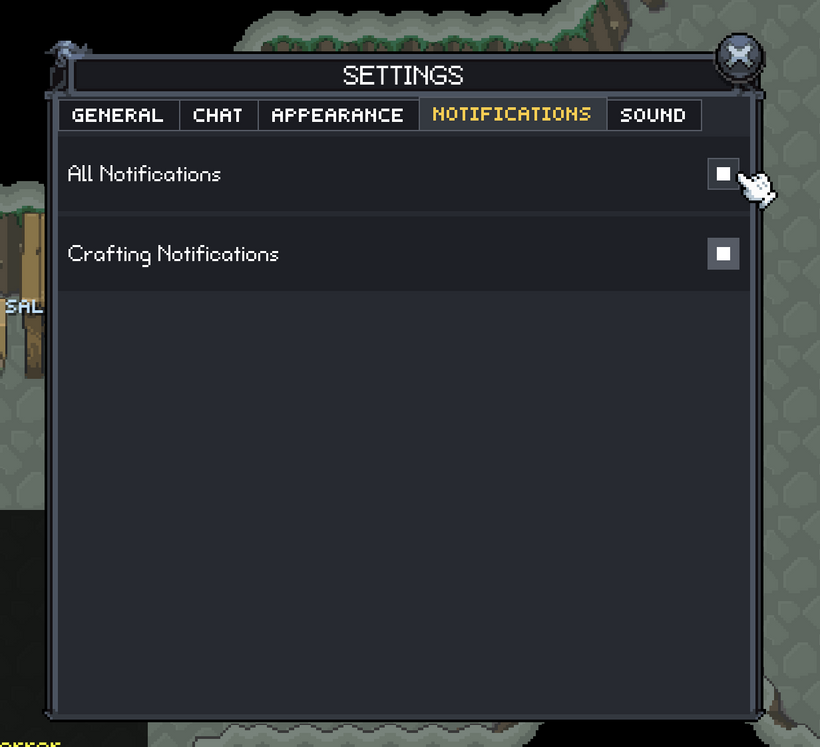
Settings got a Notifications tab too. There is a master notifications checkbox and a crafting notifications checkbox under it. Platform permissions still matter, but the client should also have its own visible preferences. If you do not want crafting notifications, that should be something you can understand and change inside the game.
There was some engine polish around scrolling, skins, and chat as well. A few windows were still reserving scrollbar space when they did not need it, so older windows like the Skillbook, Shop, and Bank were moved closer to the newer behavior. Skin and language loading also changed so the client loads the selected skin during boot and can load other skins or languages later from Settings. When something needs to load, the engine can show a simple loading modal instead of making it feel like the click did nothing.
There was a lot more work in the engine internals this week but I'll leave it at that.
As always, please post comments or feedback here, on Discord, or email me.
Next devlog is in 1 week.