- Published on
Devlog #63 - PxTileMap
Previous: https://www.patreon.com/posts/devlog-62-150955434
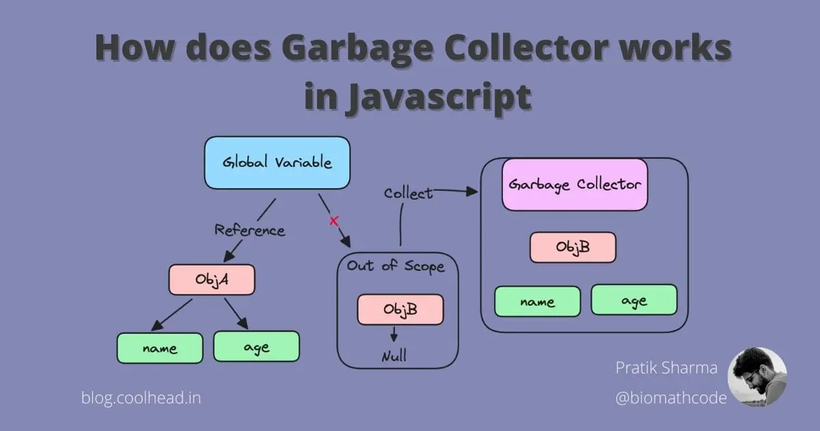
https://blog.coolhead.in/garbage-collector-in-javascript
Garbage is one of those things most players never think about, but it has a huge impact on how smooth a game feels. In simple terms, garbage is temporary memory that gets created while the game runs and then becomes useless almost immediately. JavaScript cleans this up automatically using garbage collection, which briefly stops the program to reclaim that memory.
https://en.wikipedia.org/wiki/Garbage_collection_(computer_science)
https://developer.mozilla.org/en-US/docs/Web/JavaScript/Guide/Memory_management
For most software this pause is harmless, but games run on a strict schedule. The screen has to update dozens of times every second, and any interruption can cause a frame to arrive late. That shows up as hitches, jitter, or tiny freezes, even if the game is otherwise running fast.
Because of that, one of the top priorities for the PxEngine is to keep runtime garbage as close to zero as possible. Memory can be allocated during startup, loading, or when something needs to grow, but during gameplay the engine tries to reuse existing data instead of constantly creating and discarding new values.
Sprites and text were already rebuilt around this idea. Tilemaps are next.
The old FO2 tilemap system was built around BabylonJS and a set of scripts that prepared Tiled maps just enough for the engine to use them. Maps were exported as large JSON files, partially processed ahead of time, and then rebuilt into renderable geometry in the browser. That meant that loading a map also meant constructing it, allocating memory, and wiring everything together before anything could be drawn.
The new engine replaces that entire stack with a much simpler pipeline. Maps are converted ahead of time into a format designed specifically for the new FO2 client, so the game no longer has to interpret editor data or assemble the map at runtime.
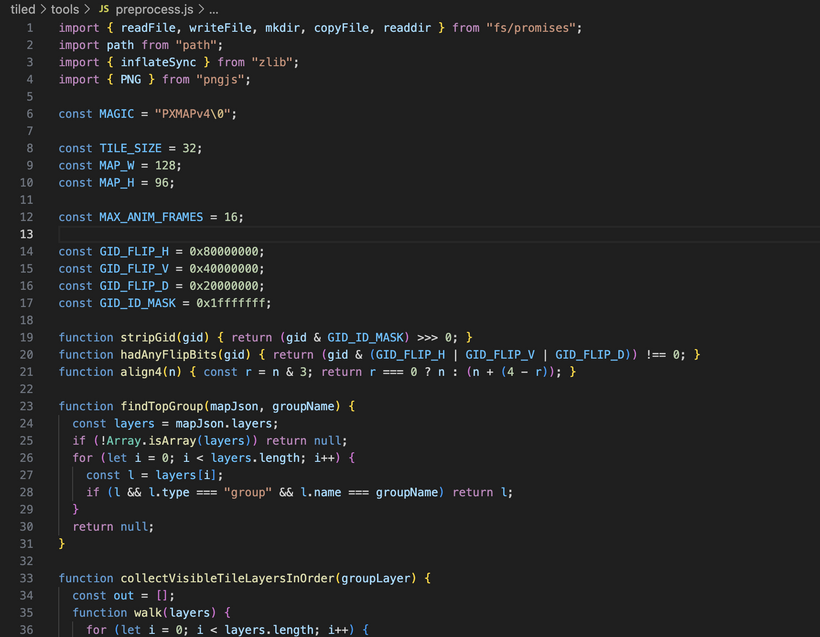
This is the tilemap preprocess script. It runs during development, not in the game itself. Its job is to take the raw maps exported from Tiled and convert them into something FO2 can use directly. Editor maps contain a lot of extra information that makes them nice to work with but inefficient to use in production, like multiple stacked layers, compression, animation metadata, and other details that never affect what the player actually sees. This script reads the map, the tileset, and the master tilesheet image, strips out anything unnecessary data, flattens layers that would be hidden anyway, converts animations into a simple format, and packages everything into a compact binary file alongside the image.
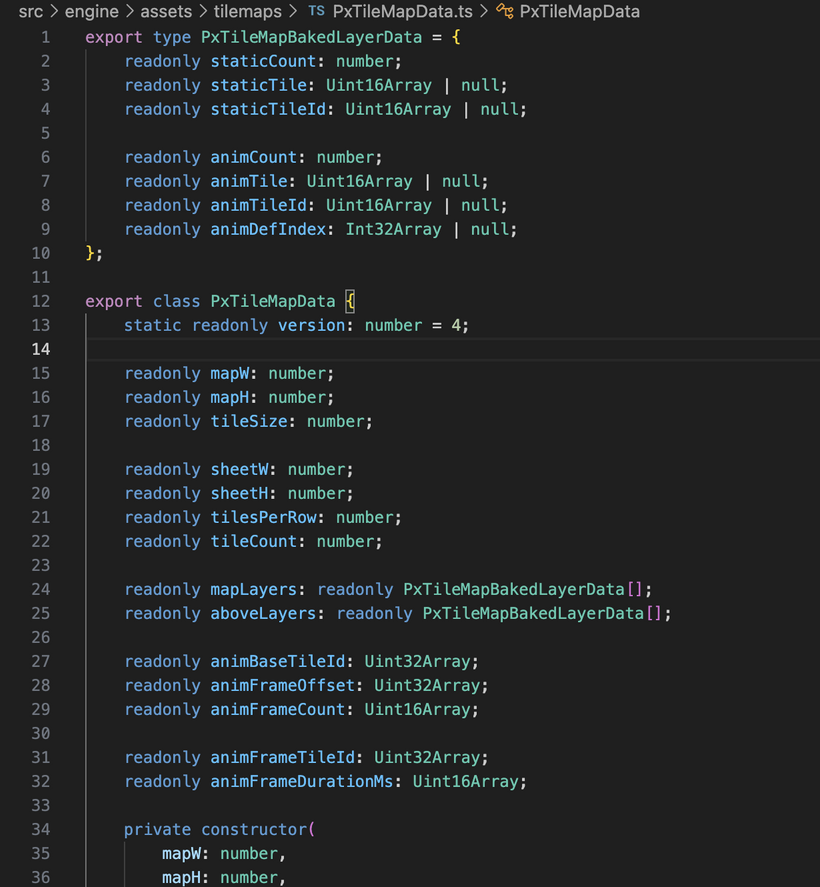
This is the map loading layer in the new engine. After the preprocess step creates the baked map files, this code is what brings them into the game at runtime.
The binary data is read directly into memory and interpreted as ready-to-use map information, while the image is uploaded to the GPU as a texture. By the time this loader finishes, the map exists as a clean data object plus a texture, both in the exact format the renderer expects. This file is the bridge between the baked asset on disk and the drawing system that will display it.
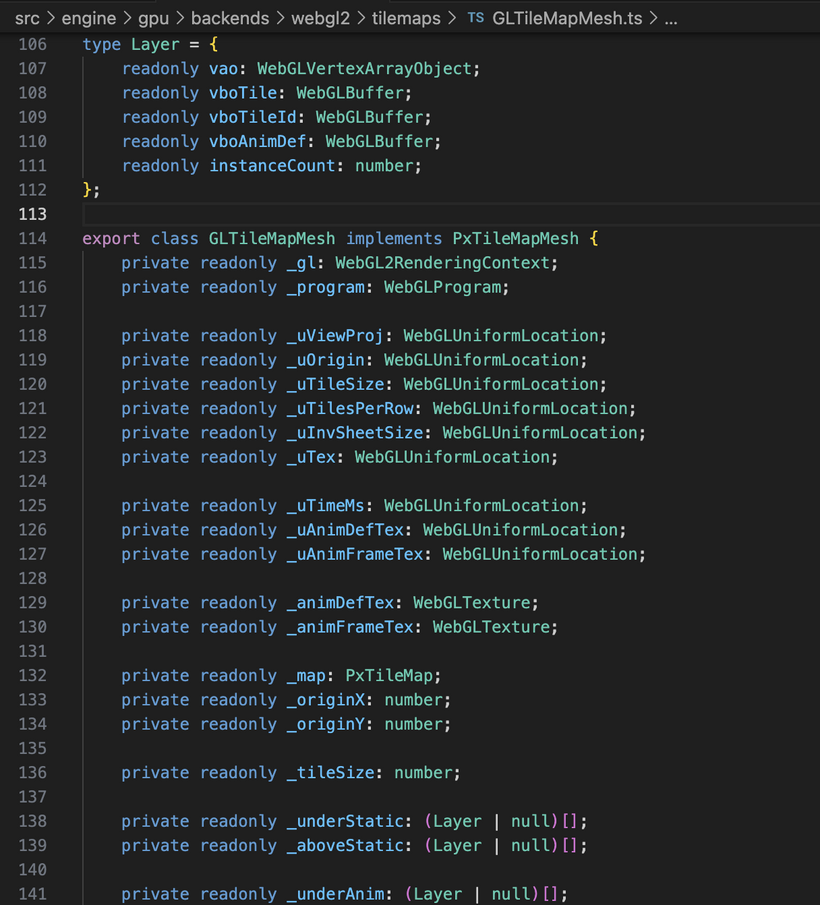
The baked map already contains lists of tile positions and tile IDs, split into layers and further divided into static and animated tiles. This code uploads those lists to the GPU once and then draws the entire map. Unlike the old BabylonJS setup, nothing here is constructing thousands of objects or rebuilding geometry at runtime. It is essentially “here is the tile list, keep it on the GPU, draw it”.
Animation is handled differently as well. Previously the CPU had to track animated tiles, update their texture coordinates, and push those changes back to the GPU every frame. Now the animation data is uploaded once, and the GPU selects the correct frame based on the current time. The CPU simply advances a timer and issues draw calls. That is why this system feels so fast and stable. The workload becomes predictable: upload once, draw forever, and let the GPU handle the repetitive animation work.
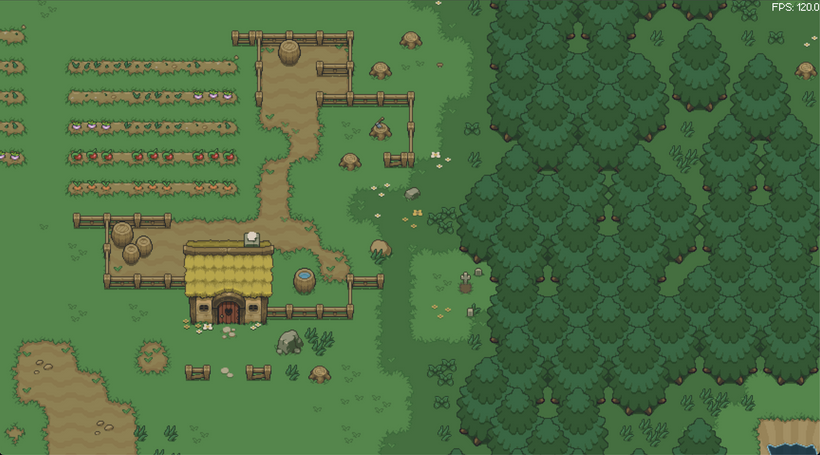
https://noob-island.vercel.app/
And here we have a demo of the PxEngine PxTileMap in action! This demo floats around Noob Island randomly. Camera movement is looking super smooth!
With maps rendering smoothly, the next step was bringing characters back to life with movement and sprite animation. This system was ported from the old engine, but rebuilt around the Entity Component System, or ECS, that was introduced in the previous devlog. In an ECS, game objects are no longer large self contained classes. An entity is just an ID, and all of its data lives in separate component stores. Systems then update many entities at once by operating directly on those data arrays. This removes a lot of hidden overhead and makes performance much more predictable.
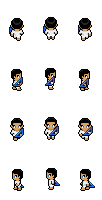
The player sprite sheet above shows another detail the engine has to account for. Each frame sits inside a slightly larger box with empty pixels around it. This padding helps prevent visual glitches when textures are scaled or filtered, but it also means the visible character is smaller than the spacing between frames. PxEngine stores layout information for each sheet so it knows how far apart frames are and how much of that space should be ignored. This allows different sprite sheets to follow different layouts while still being drawn correctly with the same animation system.
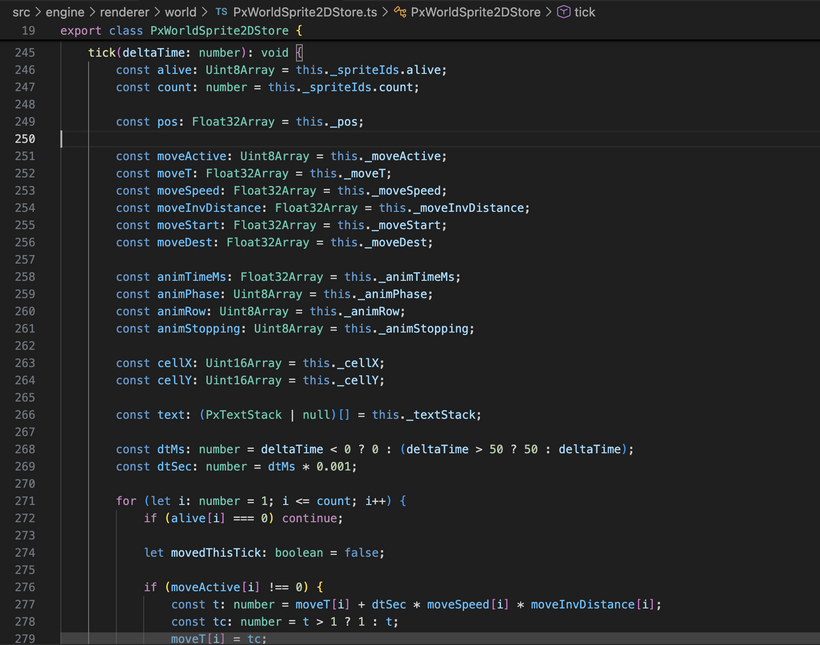
Movement is handled as a smooth transition from a starting point to a destination. When a move command is issued, the system records the start position, the target position, and the speed. Each frame it advances a progress value and calculates the current position from those numbers. If the entity moved during that frame, the walk animation advances. If movement stops, the animation settles back to an idle frame. Facing direction is determined from the movement direction so the correct row of the sprite sheet is used automatically.
This is where ECS really shows its strengths compared to the old object based approach. Previously, each character managed its own movement and animation, often using helper objects and temporary values to do the math. Even simple interpolation could involve creating vectors, updating engine objects, and coordinating multiple pieces of state. In the ECS version, all entities are updated together in one pass over raw numeric data. The engine reads numbers from contiguous memory, performs the interpolation math, updates the animation frame, and moves on to the next entity. Because almost no new memory is created during this process, there is nothing for the garbage collector to clean up later, which keeps motion smooth and consistent even when many characters are active at once.
Next up, let's get input working so we can actually move a character around on screen.
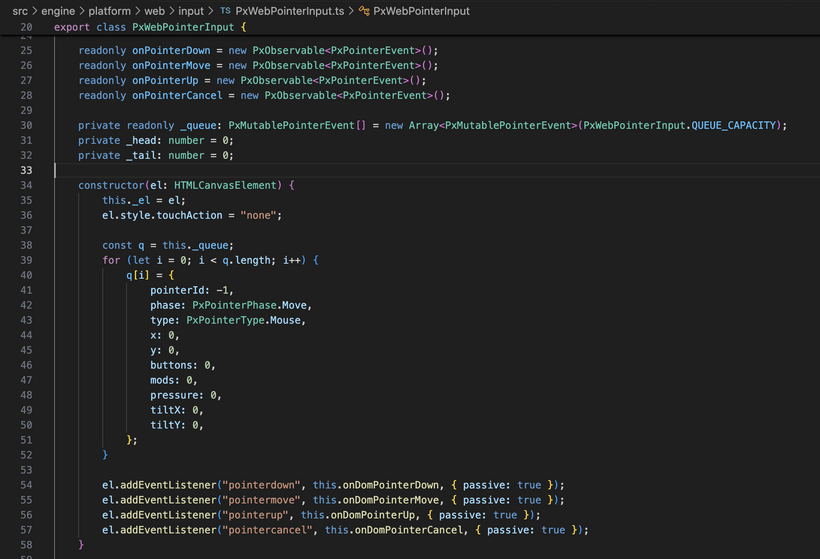
The browser reports mouse, touch, pen, and controller input in its own way, so PxEngine collects that data and processes it once per frame during the engine update to keep everything in sync. Pointer events are copied into a small reusable queue instead of creating new objects every time the mouse moves. Dragging continues to work even if the cursor leaves the canvas, and positions are stored in screen pixels so input stays accurate on high resolution displays.
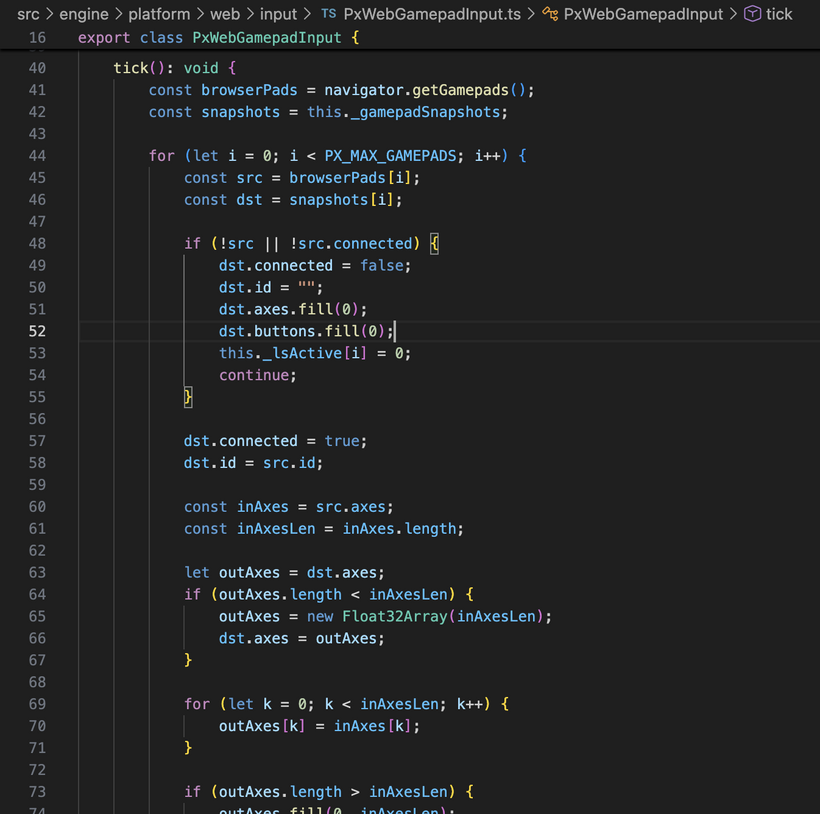
Controller support works in a similar way. The engine keeps a reusable snapshot of each connected gamepad and updates it every frame instead of creating new state objects. The left stick passes through a deadzone so tiny hardware jitter does not cause the character to drift, and once the stick moves outside that deadzone the direction is normalized so movement speed stays consistent no matter how far the stick is pushed.
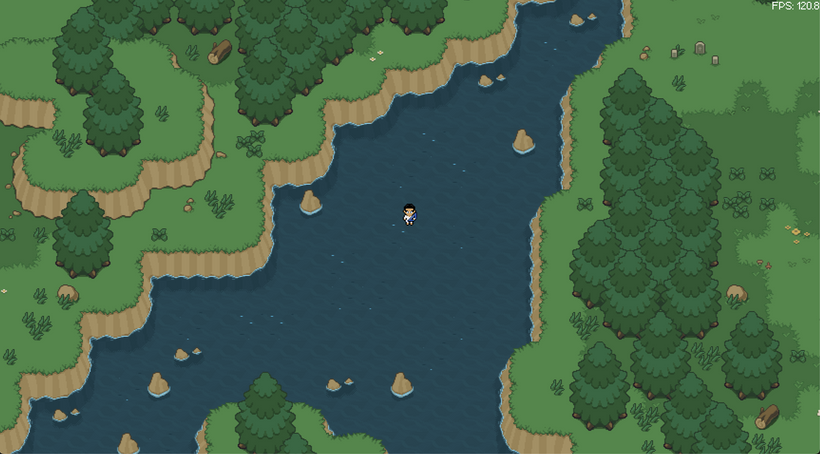
https://noob-island-movement.vercel.app/
And here is a demo of everything we have so far in action. Move this nub around Noob Island with either the left mouse button or a gamepad left analog stick and see how it feels. There's no collision yet so feel free to explore Noob Island like an admin! You'll be able to see many spots where the map draws it's above layer like in the screenshot below.
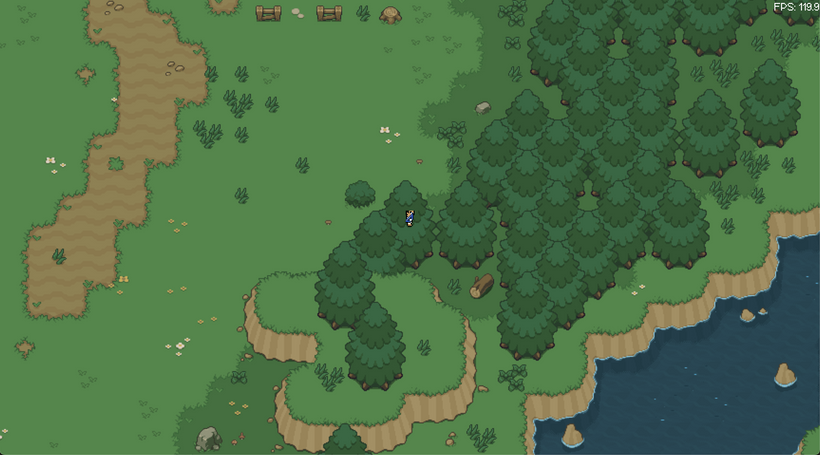
And that's it for week 3 of the PxEngine devlog. Another huge week of progress as we now have "zero garbage" ECS optimized systems that can draw our maps, move and animate our sprites, and can take both pointer and gamepad input!
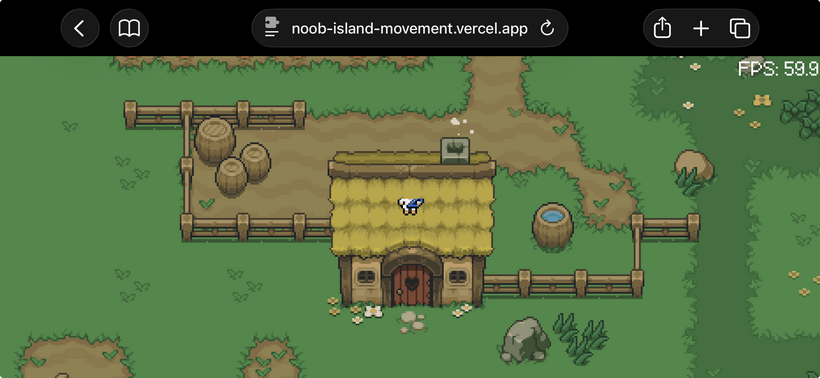
Out of curiosity I plugged a PS5 controller into my iPhone 15 via USB-C and low and behold it worked perfectly! Awesome!
If you'd like to help test the new input system, go ahead and run the demo on any browser and plug in a gamepad and see if it works! Then report any issues you have in the comments.
The next devlog will be 2 weeks from today as Infested Undercity will be releasing this Friday!
Join us at 4 PM PST on March 6th for the Infested Undercity launch and be part of the group photo tradition that will lead the next patch notes.
Have Fun & Keep Gaming!