- Published on
Devlog #66 - PxParticleEmitter
Previous: https://www.patreon.com/posts/devlog-65-153398067
Picking was the next piece to get working, and it ended up being a really interesting problem. The goal is simple on the surface. Given a cursor position in world space, figure out which sprite the player is actually pointing at. In practice, that gets tricky once you consider overlapping actors, transparency, and how sprites are positioned in the world.
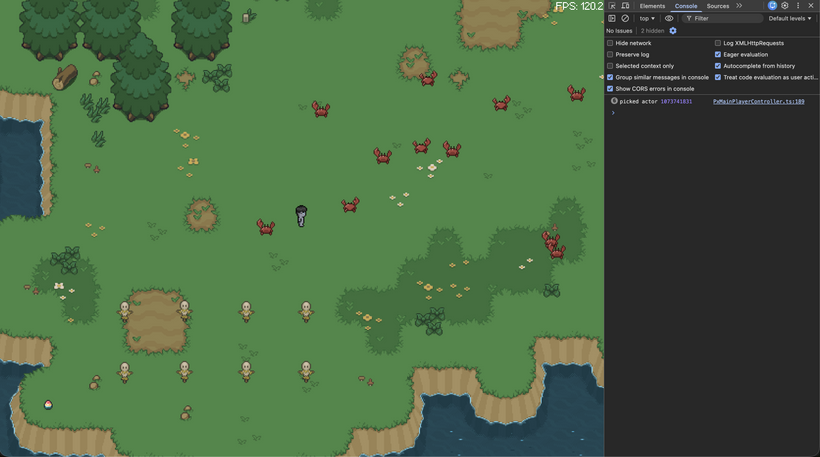
The system works by iterating over all visible sprites and testing them against the cursor position. Each sprite builds a world space rectangle based on its position, size, pivot, and bottom offset. Instead of using the full sprite bounds, we use a tighter rectangle derived from the actual visible pixels of the texture. This makes interaction feel much more precise, especially for tall or irregularly shaped sprites.
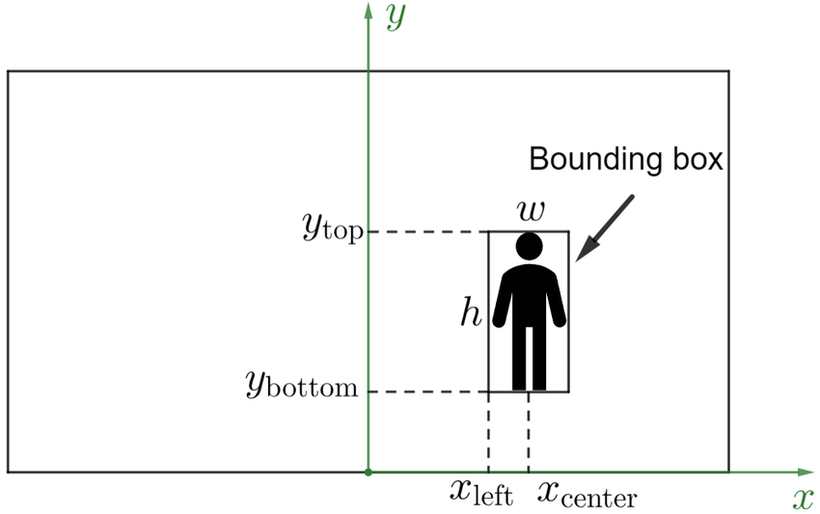
Getting that tighter rectangle working correctly took a bit of iteration. The idea is to scan the sprite image and find the smallest area that actually contains visible pixels, instead of using the full frame. That gives us a much more accurate shape for interaction.
Since sprites are stored in sheets with multiple frames, we do this within each frame’s layout rather than across the whole image, and use a couple of representative frames to make sure animations do not get clipped. The end result is a clean, consistent bounding box that follows the visible part of the sprite much more closely.
Depth ordering is handled at the same time. Since actors are sorted by their world Y position, picking uses that same value to determine which sprite is on top. If multiple sprites overlap at the cursor position, the one with the highest world Y wins. This matches how they are rendered, so the result always lines up visually with what the player sees.
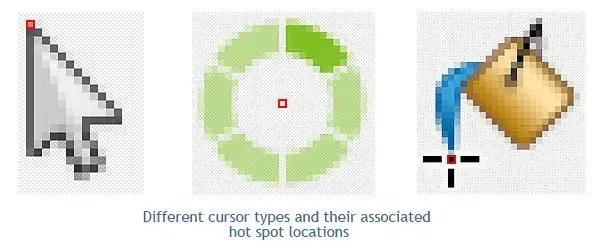
https://www.axialis.com/tutorials/what-is-a-cursor.html
While debugging this, I ran into a confusing issue where clicks near the edges of sprites would sometimes miss even though everything looked correct visually. It turned out not to be a math problem at all, but a cursor hotspot issue. The browser cursor does not always report its position at the visible tip, which means the actual click location can be offset by a few pixels. Once that was accounted for, the picking system behaved exactly as expected.
The end result is a fast and reliable picking system that lines up with rendering, avoids unnecessary work, and feels precise when interacting with actors in the world.
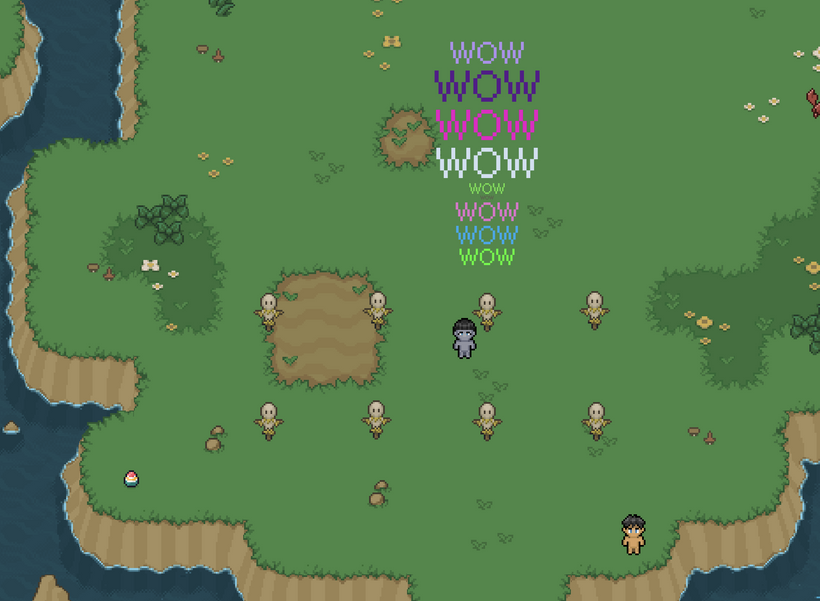
Now that bounding box picking is in place, we can hook it up to the overhead text stack and see it in action. If you log in to your 5th slot character on https://fantasyonline2.com/ and click on any enemy or other player, you’ll see both systems working together inside PxEngine for the first time. Each click pushes a new “WOW” onto the text stack with a random size and color. This is where all the work from the past couple of months really starts to come together and show what the engine can do.
From there I decided the next big piece of the engine to tackle was the particle system.
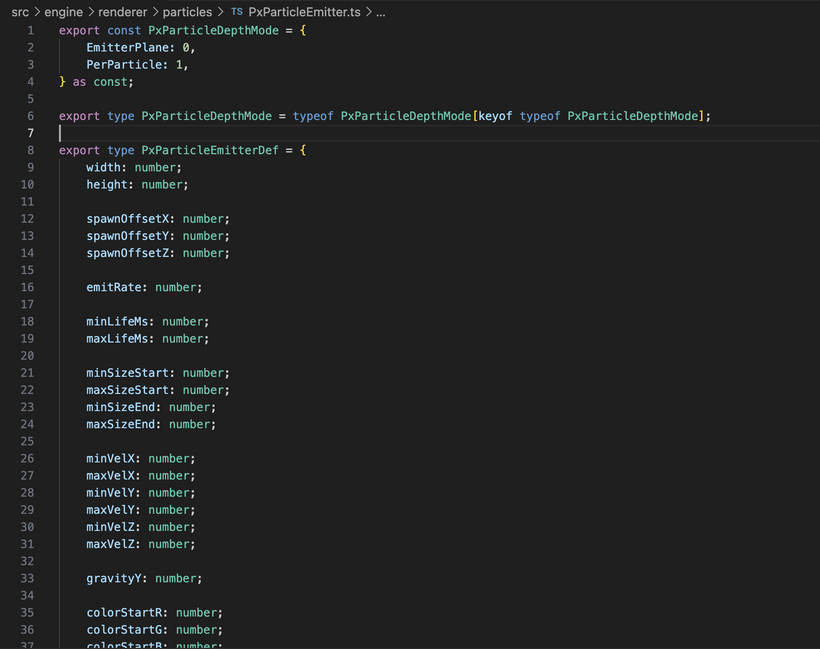
The way the particle system works is that you do not hardcode one-off visual effects directly into gameplay code. Instead you define an emitter preset that describes the behavior of an effect. That preset controls things like how large the spawn area is, how many particles come out over time, how long they live, what direction they move in, how gravity affects them, how they change size, how they change color, and how they fade in and out. Once that is in place, the engine can use the same core particle logic for a casting effect, a fire effect, or anything else we want to build later.
Each emitter lives in the world at a position and keeps spawning particles based on its settings. Those particles are then simulated independently. Every particle stores its own position, velocity, lifetime, size, color, alpha, and depth. As the system updates, particles move through the world, age over time, respond to gravity, and then disappear once their lifetime runs out. That gives us a lot of flexibility while still keeping the actual runtime logic simple and predictable.
One thing I wanted to get right early was layering. Since this is a 2D world with depth sorting based on world Y, particles need to line up with that same rendering model or they immediately look wrong. To handle that, the system supports different depth modes. In one mode, particles stay locked to the emitter’s depth plane, which works well for effects like fire or casting energy that should feel attached to something in the world. In the other mode, each particle sorts based on its own Y position, which is useful for effects that should spread out and feel more independent.
Another detail that makes a big difference is prewarming. If you create an emitter for something like a fire and it starts completely empty, it looks fake for the first few frames because it has to build up from nothing. Prewarming fixes that by simulating the emitter forward before it is ever shown on screen. That means something like the scarecrow fire can appear already alive and settled the moment it spawns, instead of looking like it just started existing out of nowhere. It is a small touch but it makes the whole thing feel much more natural.
Under the hood the system is built around big typed arrays instead of lots of tiny objects. Particle data is stored in flat buffers and dead particles are removed by swapping with the last live one, which keeps updates tight and avoids extra garbage. Emitters work the same way, with reusable slots and capacity growth when needed. On the rendering side, particles are pushed into a batch with position, size, and color data, then drawn efficiently in one go. The result is a system that is flexible enough to support very different kinds of effects, but still structured around keeping the hot path fast and simple.
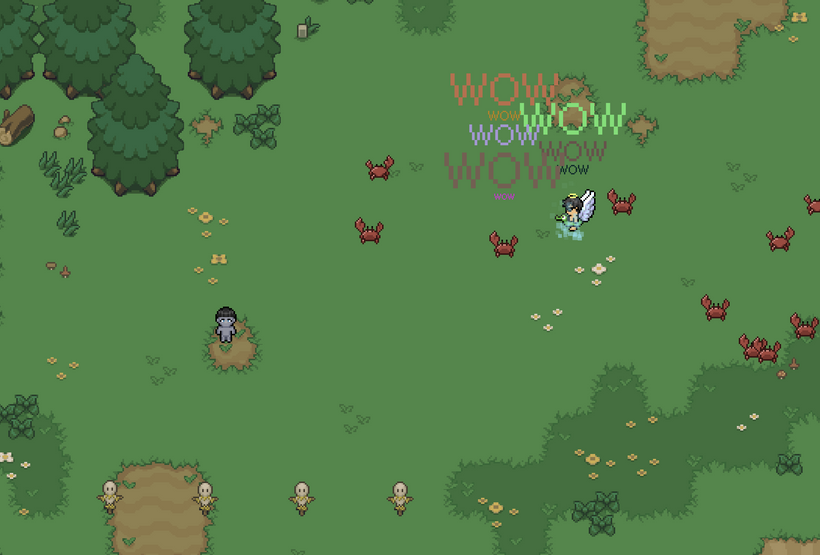
If you want to try it out for yourself, log in to your 5th slot character on https://fantasyonline2.com/ and right click anywhere in the world to spawn the casting particle effect. Between the new picking, the overhead text stack, and the particle system, this is the first time PxEngine is really starting to feel alive!
What do you think of the new casting particles? I made them pixely!
Feedback and bugs for PxEngine go here:
https://discord.com/channels/1076004705773310084/1486052018857705544
Have Fun & Keep Gaming!
P.S. - The next devlog will be in 2 weeks!