- Published on
Devlog #74 - PxChat
Previous: https://www.patreon.com/FantasyOnline2/posts/devlog-73-160569303
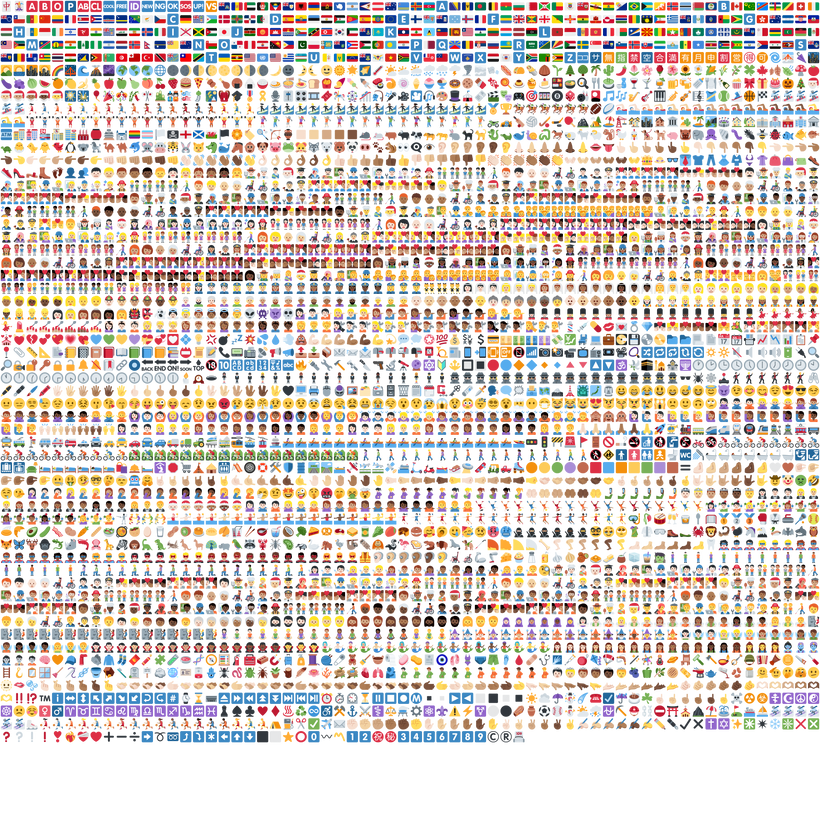
Before getting into the rest of the week, I want to start with the emoji sprite sheet at the top. That is the Twemoji atlas used by PxChat. Twemoji is an open source emoji artwork project originally created by Twitter to give Unicode emoji a consistent appearance across different platforms. You can find the original project and artwork at https://github.com/twitter/twemoji.
For PxChat, I packed 3,689 of those emoji sprites into a single texture. The picker itself has 3,624 entries because the atlas also contains sprites that do not need to appear as normal picker choices. Packing everything together means the renderer can load one image and draw any emoji from a small region of it instead of managing thousands of separate image files.
The sprite sheet is a useful place to begin because it shows the scale of one part of the feature, but PxChat is really the result of around two years of chat work finally coming together. Some of that code was already running in the old client, while other pieces for commands, conversations, social features, and richer message behavior existed in partial form but never made it into the live game.
A lot of that came down to limitations I kept running into with the BabylonJS GUI used by the old engine. I could get individual pieces working, but combining custom text input, inline links, emoji, scrolling, popup menus, touch controls, and mobile keyboard behavior into one clean system was difficult. Features would get part of the way there and then sit unfinished because the GUI foundation was fighting the work.
PxEngine finally gave those pieces the foundation they needed. I now control text measurement, input routing, clipping, popup placement, hit testing, scrolling, and the rendering path, so I was able to go back through the old chat, revisit the systems that never made it in, and bring all of that work together.
Last devlog focused on leaderboards, the quest log, effects, and the footstep navigation guide. This week continued the same process of bringing old client features into PxEngine, but chat reaches into a much wider part of the game because it is always present in the HUD and connects to so many social systems. Sending and receiving text was only the starting point. Whispers, guild and party messages, commands, system feedback, conversations, friends, ignores, and player suggestions all needed to fit together instead of becoming another collection of separate controls.
The first thing I had to settle was where the different parts of chat belonged. The generic controls stay in the engine, so PxEngine owns text input, focus, scrolling, clipping, popup behavior, pointer handling, and drawing. FO2 owns the actual chat rules, including message formatting, commands, conversations, social state, emoji behavior, localization, and the HUD layout. That keeps things like guild messages and friend accounts out of the renderer while still giving the app proper controls to build them with.
Text input was one of the first big hurdles. A normal webpage gets most text field behavior from the browser, but PxEngine draws its interface through the game renderer. The input still needs to feel normal while handling keyboard focus, a caret, selection, deletion, clipping, multiline layout, and submission inside the retained GUI.
The desktop path now works the way you would expect. You focus the composer, type a message, and press Enter to send it. Chat focus is kept separate from normal game input, so typing does not move the player or activate something behind the input.
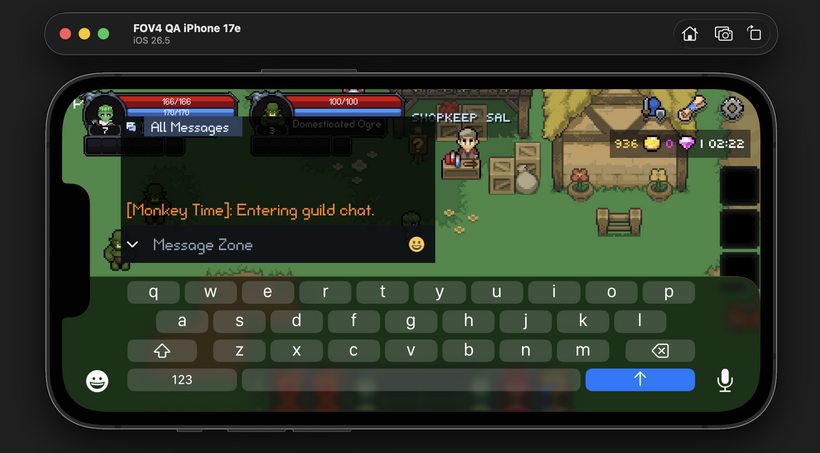
Mobile needed a different approach because tapping a control drawn inside the canvas does not automatically open the phone keyboard. Mobile browsers expect a real HTML input or textarea to receive focus, so I added a native textarea bridge behind the retained control. PxEngine still draws the visible FO2 input, but the browser handles the keyboard, paste, autocorrect, suggestions, and text composition. The value and selection are then mirrored back into the GUI input as the player types.
I found one submission bug while testing that bridge. The native textarea could contain a newer value than the retained control at the exact moment Enter was pressed, which meant the last character or word could be left out of the message. The submit path now flushes the native value first, so the message always uses the text that is actually in the browser input.
Once the input was reliable, I could start treating the composer as a real part of the HUD instead of a temporary text box. The text field and emoji button were directly beside each other, but they still looked like two separate controls because each one drew its own translucent background. Even with no layout gap, those backgrounds created a visible seam.
The HUD now draws one shared background for the entire composer row. The input and emoji button sit transparently on top of it, which makes them read as one connected control. The emoji button also stays square when the input becomes taller for multiple lines instead of stretching with the composer.
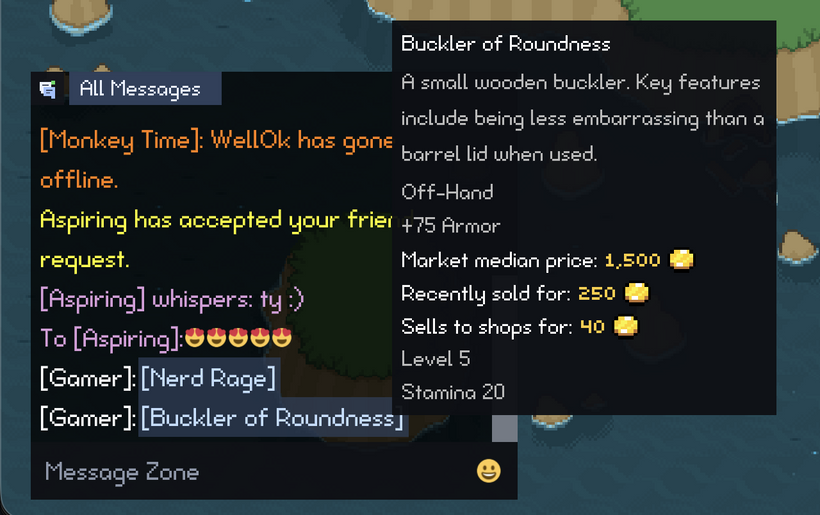
The message display had its own set of problems. A message can contain normal text, emoji, item links, skill links, and different colors depending on where it came from. All of those pieces need to wrap together when the chat changes width, and item or skill links still need to open the same tooltips used elsewhere in the GUI.
The new inline layout keeps those pieces together as one message. Text wraps around emoji and links, the links remain interactive, and the display follows new messages only while the player is already at the bottom. If you scroll upward to read something older, incoming messages no longer keep pulling the view away from what you are reading.
Once the inline layout was working, smaller text problems became much easier to notice. In one screenshot, the bottom of a g on one line was almost touching the top of an I on the next. The first adjustment fixed the collision but added too much space, so I went back and changed how chat derives its line height instead of adding another random offset.
The original calculation relied too much on one glyph, but sizing every line around the tallest unusual glyph in the font would make normal chat too loose. Chat now derives its default line height from normal Latin text bounds and then makes sure there is still enough room for inline emoji. I tested it with strings full of ascenders and descenders, and the final gap is only a tiny amount without the letters touching.
The same multiline work exposed another problem farther down the stack. A message could be typed on two lines locally and then come back from the server as one line because the newline was being lost during the network round trip. Fixing that required changes below the display because the renderer cannot restore a line break that has already disappeared while decoding the network message.
I added a chat wire text path and updated the SmartFox string handling so forced line breaks survive the server echo and display exactly as they were sent. A message with RUN on one line and RUN on the next now comes back the same way.
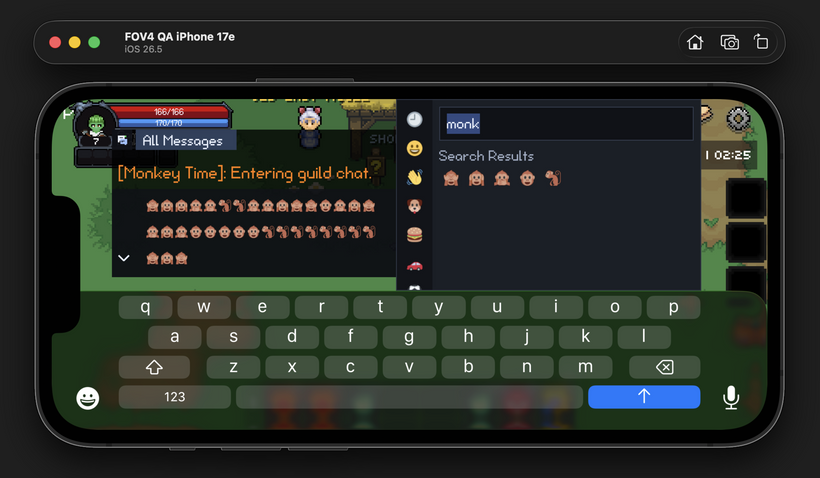
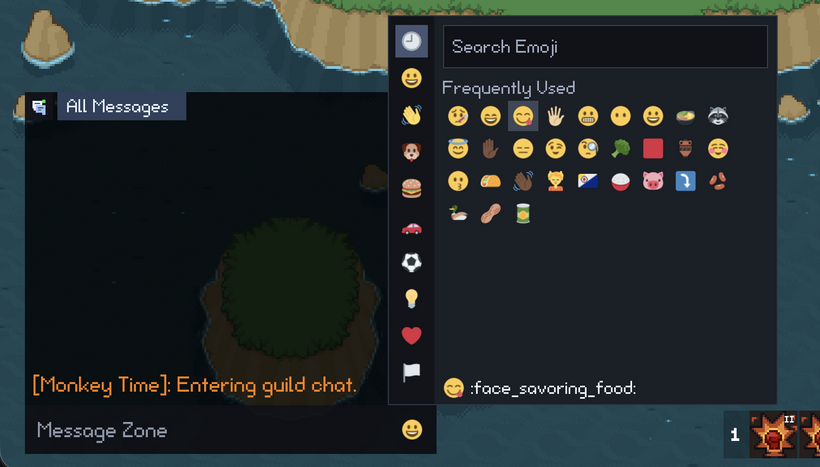
With emoji drawing correctly inside messages, the next step was giving players a practical way to choose them. The picker data comes from Unicode Emoji 15.1 and includes categories, names, and aliases for searching. Selecting an emoji inserts it into the composer, and recent choices are saved so the emoji a player actually uses are easier to reach the next time the picker opens.
The atlas is around 1.7 MB, so I did not want it blocking the initial game load. It goes through the normal app asset and cache version paths and loads after boot through the image resource system. I also fixed a Unicode issue in the picker labels. Shortening a string with normal slicing can split an emoji or surrogate pair in half, so those previews now shorten by complete characters instead of raw string units.
The native textarea bridge made it possible to type on mobile, but that did not automatically make the rest of the HUD fit around a phone screen. Chat has to avoid the skillbar, the bag buttons on the right, and the mobile keyboard while still leaving enough room to read messages and see what you are typing. Avoiding one part of the HUD does not help if the chat ends up hidden underneath another one.
I tested portrait, and short landscape, big landscape, and many other mobile layouts. I also added a simulated keyboard inset so I could make the HUD react as though a large phone keyboard was covering the bottom of the browser. Expanded chat now shrinks around the right-side bag column instead of sitting underneath it, and the composer moves above the keyboard while still avoiding the skillbar.
That pass covered expanding and collapsing the chat, text wrapping, multiline messages, emoji alignment, picker sizing, picker search, Enter submission, Escape closing the picker, and the compact chat position. I still needed to test the native input path in the iOS Simulator and on real devices, but the responsive HUD layout is now in a much better place.
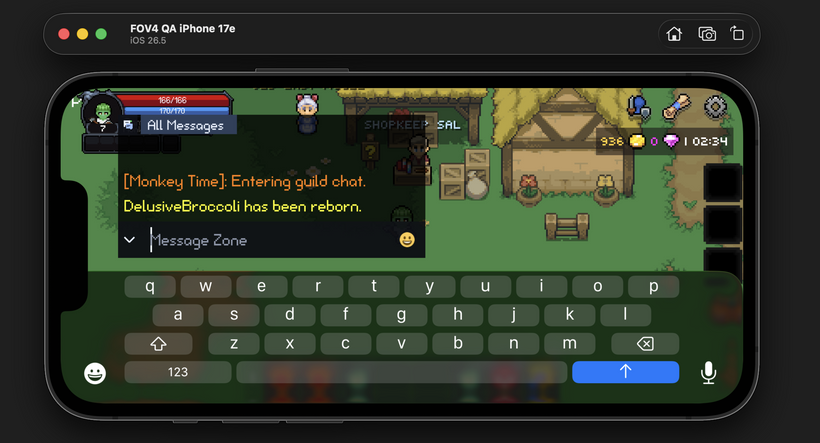
Once the composer could reliably accept text on desktop and mobile, I could start using it for more than normal messages. Typing a slash now opens a suggestion menu containing the commands available to normal players, with localized descriptions and filtering as more of the command is typed.
The highlighted rows needed one visual adjustment after the first pass. Their text started too close to the edge of the selection background, so the rows now use the same inset as the other chat pills. The menu width calculation includes that padding too, which keeps longer commands from being clipped.
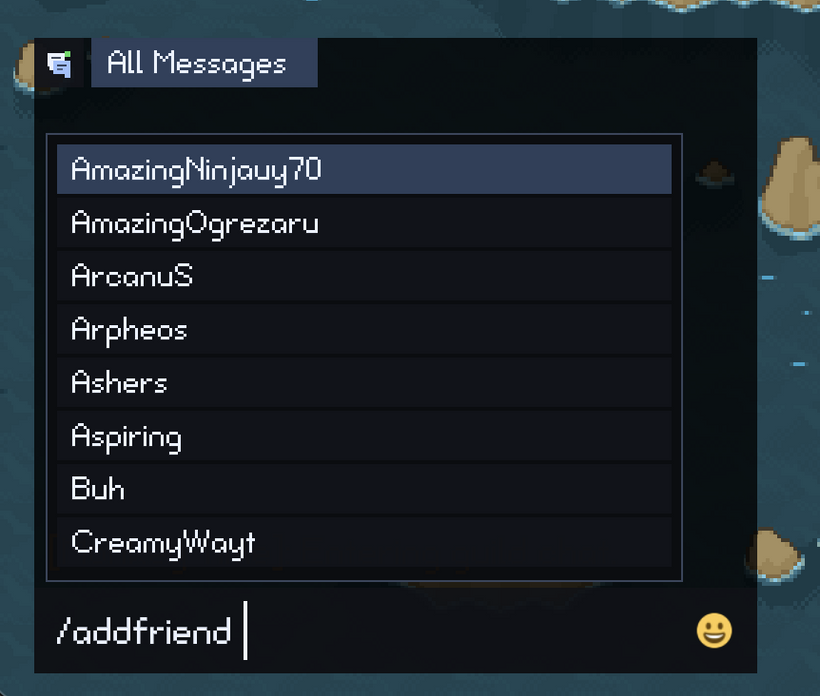
Commands that expect a player name can also open a second set of suggestions instead of making the player remember and type every character name exactly. That became especially useful for the friend and ignore commands because the useful suggestions depend on the player’s current social state.
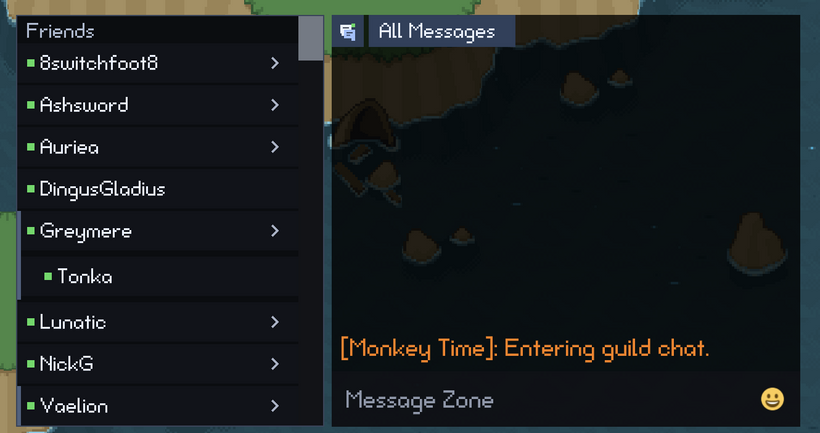
The player suggestions led naturally into the new social drawer attached to chat. The old client used a separate friends and ignores popup, but the new version belongs beside the conversations where that information is actually used. The drawer shows friend accounts, their characters, online state, unread conversations, and the ignored list without opening another normal game window over the HUD.
Friends are account based, but one account can have several characters. The drawer keeps that relationship visible with an account row that can expand to show the individual characters underneath it. From there, the player can see who is online and move into the correct whisper conversation without treating every character as an unrelated person.
The drawer, command menu, and conversations all use the same social store rather than maintaining separate copies of the friend data. That gives every part of chat one consistent view of the current accounts, characters, online state, and unread messages as updates arrive from the server.
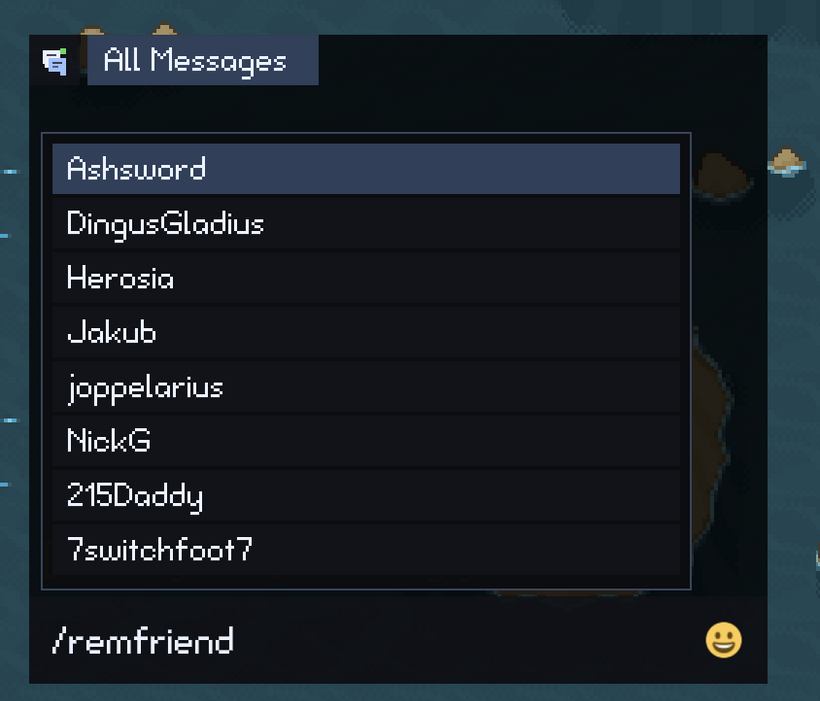
Once the account structure was visible in the drawer, the friend command suggestions needed to understand it too. With /remfriend and no target typed yet, the helper shows one primary character for each friend account so the menu does not fill with several entries for the same friend. Once the player starts typing a name, the search checks every visible character on those accounts.
That fixed a case where a character could appear in the drawer but never show up as a /remfriend suggestion because another character from the same account had been chosen as the primary result. The initial list stays compact, but typing part of a character name now finds the actual character the player is looking for.
The /addfriend command uses the online player list instead, excluding the main player character and anyone who is already a friend. The /unignore command searches every ignored character, so any name shown in the ignored section can also be found through the command helper.
All of those changes remain server authoritative. Sending /addfriend, /remfriend, /ignore, or /unignore does not immediately invent a local result just to make the drawer update faster. The command goes to the server, and the social store updates when the real state comes back. That keeps the drawer, suggestions, and conversations from disagreeing if a command is rejected or another social update arrives at the same time.
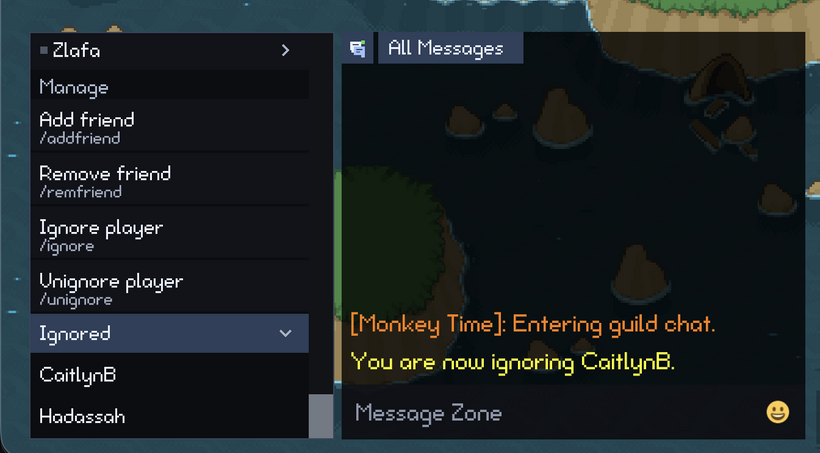
Friend accounts can be grouped because the server sends the relationship between their characters. The ignored list is different because its current server payload only contains a flat list of character names. It does not include the account boundaries available in the friend data.
I initially tried grouping ignored names in chunks of up to four to match the account character limit, but that was a bad assumption because there was no proof that neighboring names belonged to the same account. A one-character account could appear to own several unrelated characters, and removing one name could cause later entries to slide into the wrong group.
I removed that guess instead of continuing to patch the display around data the client does not have. Ignored characters now appear as individual rows, the section starts collapsed, and the rows do not show made-up online state. A grouped path can still be used later if the server begins sending real account boundaries.
By this point, chat had accumulated a lot of new labels, command descriptions, helper text, status messages, and empty states, so I also did another pass over localization. All of that text goes through the same PxAppStrings system as the rest of the new UI, and English and Spanish still have matching key coverage.
While I was in there, I moved some older leaderboard, zone, and stat labels into categories that better match how they are reused. Most players will never care where a localization key lives, but keeping the structure organized now is much easier than sorting out a giant miscellaneous section later.
One last issue showed up while testing emoji shortcuts in the composer. Typing only a colon opened the emoji suggestions, but the first result was the cross mark simply because it had a short alias. That was technically consistent with the old ordering, but it was not a useful default.
The suggestions now start with emoji the player has used recently or frequently, followed by a global popularity list based on Unicode frequency data, Emojipedia usage statistics, and recent emoji trends. After that, the full metadata order is still available as a fallback. This means opening the suggestions with a bare colon now starts with emoji people are actually likely to use instead of whichever alias happens to sort first.
Typed searches still prioritize what the player entered. For example, typing :jo still selects :joy: through its matching alias, while recent use and global popularity only help rank otherwise similar results. The mobile emoji search was also adjusted to use the proper text input and Done behavior, then release focus cleanly when the search is finished.
While testing the player suggestions again, I also found another edge case in /addfriend. Confirmed friends were already filtered across every character included in each friend account, but characters attached to pending friend requests could still appear as suggestions. The social store now indexes those request account characters too, so /addfriend does not suggest someone who is already involved in a pending request.
The client can only make that decision from the friend and request account data sent by the server. If a character is missing from both payloads, the client does not know that it belongs to an existing friend account and should not try to guess. This keeps the command helper consistent with the server-authoritative approach used throughout the social drawer.
That leaves PxChat in a pretty good place. It now has a retained message display, real text input, item and skill links, inline emoji, a searchable picker, useful shortcode suggestions, responsive mobile layouts, command suggestions, conversation routing, and a social drawer connected to the real friend and ignore state from the server.
There is still more chat behavior to bring over. Guild and party chat need their remaining routing and display work, and there are still smaller old client details to consider like clickable player names, attention feedback while chat is collapsed, and the old autoscroll controls. Mobile input also needs a proper pass in the iOS Simulator and on real devices.
The important part is that the work from the old client, the unfinished systems from the last two years, and the new pieces made possible by PxEngine are finally becoming one chat system. The remaining behavior can now be added to that foundation instead of being built around another temporary message box.
To close things out this week, I added a video showing the current chat work running together. It is one thing to show the composer, emoji picker, command menu, social drawer, and mobile layout in separate screenshots, but the system makes a lot more sense when you can see conversations changing, accounts expanding, commands being completed, and the HUD responding to a smaller screen.
As always, please post any comments or feedback here, on Discord, or email me at [email protected]. I especially want feedback on the social drawer, command suggestions, and how much of the chat should remain visible in the compact mobile layout.
Next devlog is in 1 week.
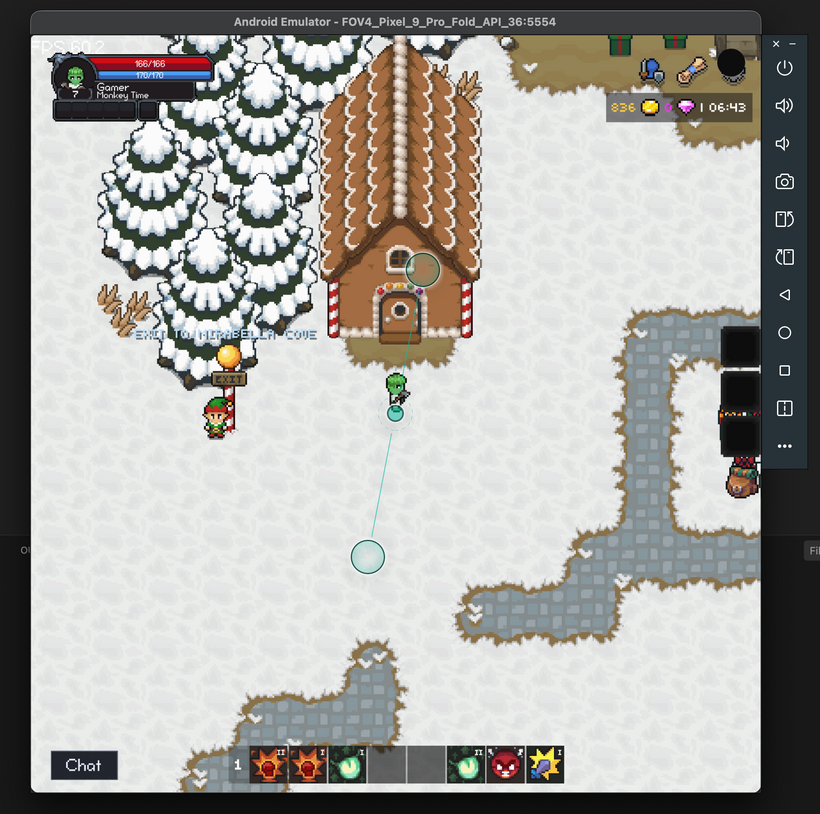
P.S. - I started setting up automated testing on Android simulators with wildly different screens like the Pixel Fold!