- Published on
Devlog #79 - Client Languages
Previous: https://www.patreon.com/FantasyOnline2/posts/devlog-78-battle-164508537
Fantasy Online 2 now has seven complete PX interface languages. Vietnamese, Simplified Chinese, Japanese, Korean, and Brazilian Portuguese have joined English and Spanish. Each language covers all 879 pieces of client text, including settings, windows, notifications, errors, confirmations, Guild controls, quest buttons, item actions, shops, and all of the other little strings that are easy to miss.
The translations were a big job, but getting the Asian languages to work correctly throughout the client was the much bigger one.
The original PX font system used a small fixed atlas containing the characters the game needed at the time. That is great for English and Spanish, but it was never going to hold thousands of Chinese characters, Japanese kana, Korean Hangul, Vietnamese accents, international character names, and mixed-language Chat.
I also did not want to solve that by falling back to a generic browser font. Japanese and Korean should not look like a webpage pasted over Fantasy Online 2, and loading one enormous texture containing every character the game might ever display would waste a ridiculous amount of memory.
PX now keeps the existing Fantasy Online 2 fonts wherever they contain the character, then fills in anything missing from additional pixel-font packs. Fusion Pixel Font supplies extended Latin, Simplified Chinese, Japanese, and Korean coverage, while Tiny5 fills the remaining Vietnamese characters and combining marks. Everything still goes through the normal MSDF renderer, so the new characters scale and render through the same GPU text system as the rest of the interface.
The fallback fonts are divided into pages and loaded only when something on screen actually needs them. PX copies the required characters into reusable runtime atlases on the GPU. Both the source pages and the runtime atlases have memory limits, so seeing one Japanese Chat message does not mean carrying an entire Japanese and Chinese font collection for the rest of the session.
Japanese and Simplified Chinese also share some Unicode characters that are drawn differently depending on the language. PX can now ask for the correct regional form instead of blindly using whichever version happens to load first. 日本語 always uses Japanese forms, while 简体中文 uses Simplified Chinese forms. That applies in the language screen, the Settings dropdown, and the rest of the interface.
Getting the characters onto the screen was only half the problem. The whole text system had to stop assuming that one JavaScript character is the same thing as one character you can see. An accented Vietnamese letter can be made from several pieces. Korean text has its own composition rules. Flags use multiple code points. Many emoji are several characters joined into one symbol.
Cursor movement, selection, deletion, wrapping, and truncation now understand complete visible characters. Backspace removes one thing you can see, not half an emoji or the accent from a Vietnamese letter. Long Chinese and Japanese sentences can wrap without spaces, and their punctuation behaves more naturally around line breaks.
Input Method Editor composition works through both the browser and native mobile text paths now too. Someone typing Japanese, Korean, or Chinese can compose and convert text with the operating system keyboard without PX rewriting the active composition or moving the cursor underneath them.
This is used nearly everywhere PX draws or edits text. Chat, regular text fields, numeric inputs, searches, item links, skill links, tooltips, overhead names, world text, titles, descriptions, buttons, and wrapped window text all use the same international system now.
New players choose their language before the normal Music and Sound question. The title and question begin in English so everyone can understand what the screen is asking. No language is selected automatically, and Continue stays disabled until you deliberately choose one and its files finish loading.
English has its own large row at the top. The other six languages use tall buttons arranged in two columns, with a full button-height gap before Continue so tapping the final language does not accidentally confirm it too.
Selecting a language previews the interface immediately, but it is not saved until you press Continue. The Music and Sound question then appears in the language you selected. Existing players are not forced through onboarding again, and the language can still be changed later in Settings without restarting the game.
The language screen also stopped preloading every character from all 879 translated strings before allowing you to continue. It loads what the current screen needs first, then the normal on-demand font system handles everything else as windows and messages appear.
I checked all seven catalogs for matching keys, variables, line breaks, Unicode normalization, regional number formatting, and font coverage. I also tested failed language loads, onboarding persistence, live language switching, mixed-language text, and the smallest supported layouts.
The complete Chat path was tested in the actual iOS and Android wrappers with all seven languages. Each one was entered using the device keyboard, displayed during composition, sent to the server, returned to the Chat feed, and checked for missing characters, clipping, failed sends, and text left behind in the composer.
The client interface is now finished in all seven languages, but the database-driven game text is a separate project. Item names and descriptions, quest text, NPC dialogue, skills, achievements, recipes, shops, and the rest of the game content are far larger than the 879 interface strings. That text also appears on the public Fantasy Online 2 Database, so the names and terminology need to match between the game and the website.
I have hired a professional game translator to work through that content. It is going to take some time because this is not a matter of replacing one English word with another. The translator needs to know what an item does, where a line appears, who is speaking, how a quest connects to the next step, and whether a word is being used as a skill, stat, rank, item type, action, location, or part of the story.
Recurring terms need to stay consistent across thousands of connected entries. A faction name used in a quest needs to match the name on an item requirement. A skill description needs to use the same terminology as the Skillbook. An NPC should sound like the same character from one quest to the next.
The translator also needs context. That means a terminology glossary, notes about where strings appear, screenshots or access to the game, explanations for ambiguous lines, and a way to ask questions instead of guessing. After the first translation pass, the text still needs editing, proofreading, and testing inside the actual game.
A line can look completely fine in a spreadsheet and still be wrong when it appears on a tiny button, comes from the wrong character, overflows a quest window, or uses different terminology from an item somewhere else. I would rather give that work the time it needs than rush thousands of literal translations into the live game and spend months fixing them afterward.
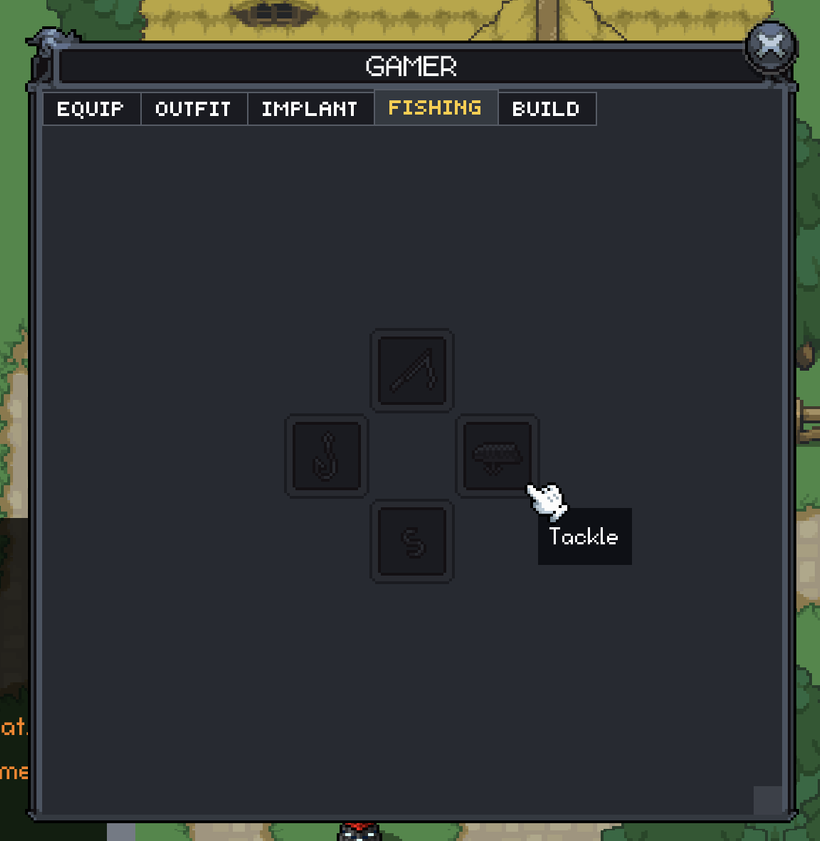
Fishing did not stay in the P.P.S. for very long either. The Character window now has a full Fishing tab with dedicated slots for a Pole, Hook, Tackle, and Bait. Classic uses new fishing-slot artwork added to the real atlas, while Minimal has its own matching layout.
These are real equipment slots, not four decorative pictures waiting for Fishing to exist. Fishing Gear moves between bags and the Character window through the normal inventory system. Dragging, double-clicking, pending moves, server updates, login, reconnecting, and Build sharing all use the same equipment paths as the rest of the Character window.
Fishing Gear is now its own item type on both the client and server, with Pole, Hook, Tackle, Bait, and Fish subtypes. The first four match the equipment slots. Fish is separate, so something like a Toy Trout can be a normal inventory item without also becoming something you can equip as Bait or Tackle.
The server owns the final equipment rules. A Pole can only enter the Pole slot, a Hook can only enter the Hook slot, and the same applies to Tackle and Bait. Level and stat requirements are checked again before anything moves, and Fishing Gear cannot be placed into Equipment, Outfit, or Implant slots.
New characters are created with the Fishing container. Existing characters receive a valid empty one when their saved inventory is initialized. Equipped Fishing Gear is sent with the rest of the character data during login and persists normally.
This is still the equipment side of Fishing. The next part is fishing holes, casting, reeling, pole animation, water requirements, catch selection, and finally placing the caught fish into your inventory. I wanted the item and equipment rules settled before Fishing Gear started circulating instead of inventing them afterward.
Notifications now ask for permission at a point where the request actually makes sense. The mobile app used to ask almost immediately, before you had done anything that explained why Fantasy Online 2 wanted to send notifications.
Opening Crafting for the first time can trigger the request because a long craft may finish while you are away. Creating your first real Market listing can do the same because the item may sell after you close the game. The request only happens when the related notification category is enabled and the website or mobile shell supports it.
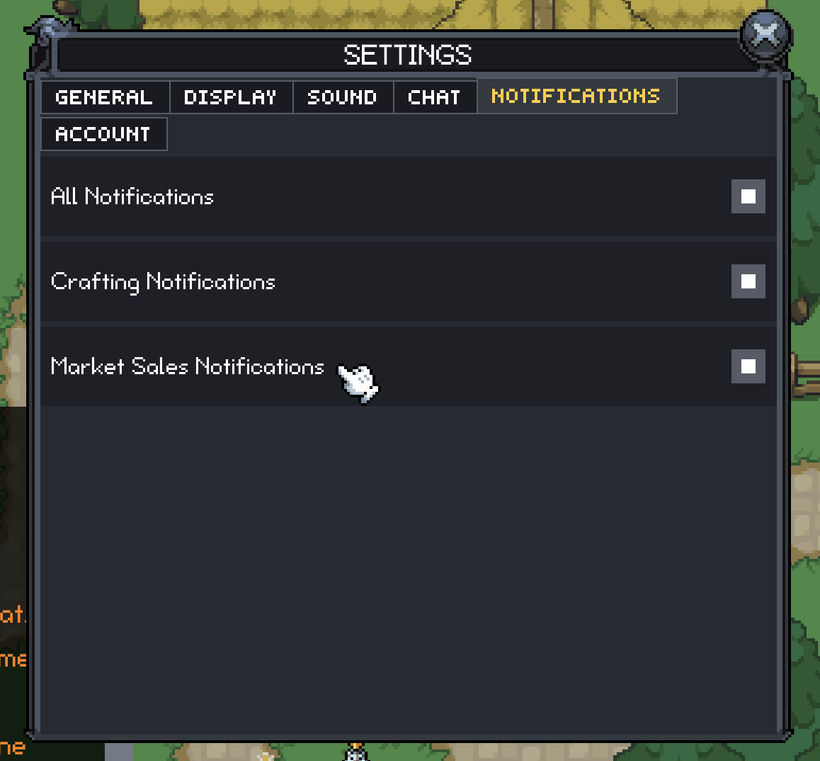
Settings now has separate controls for general notifications, Crafting, and Market Sales. Turning off the main setting disables everything underneath it, but you can leave Crafting enabled while turning Market Sales off, or do the reverse, without changing the operating system permission.
Market sale notifications are working from the completed sale all the way to your devices. When one of your listings changes from active to sold, one sale event is recorded. Canceled listings, expired listings, and purchases from yourself do not create notifications.
The sale itself never waits for Apple, Google, Expo, a browser push service, or the notification backend. The Market transaction finishes first. Delivery happens afterward with its own retries and receipt checks, so a dead browser subscription or invalid mobile token cannot interfere with the item and currency transaction that already completed.
I tested the complete path with a real Market sale. The same sale produced a desktop Chrome notification on macOS and a native notification on iOS without requiring the seller to remain logged into the game.
PX settings can also be stored through the website, mobile, and CrazyGames shells now. When an authenticated platform provides account storage, normal preferences can follow your account instead of being trapped inside one browser or WebView. Local storage remains the fallback when platform storage is not available.
The Steam version moved another step closer too. The real Fantasy Online 2 desktop shell is now using the PX build host and Steam Bridge application runtime. PX publishes the shell features it expects, identifies its game surface, mounts its canvas inside the native desktop window, and keeps its cursor and playable state synchronized with that host.
Steam commerce and inventory-delivery routes now exist in the actual application shell instead of only in isolated testing tools. The host validates the PX build, waits for the authenticated game surface to become playable, and can react when assets or graphics startup fail.
This is still not the finished Steam release. The exact signed Fantasy Online 2 packages need to pass the complete Windows, Linux, Steam Deck, and Apple Silicon qualification. I am not checking Steam off the list until the real game builds pass, not only the underlying runtime.
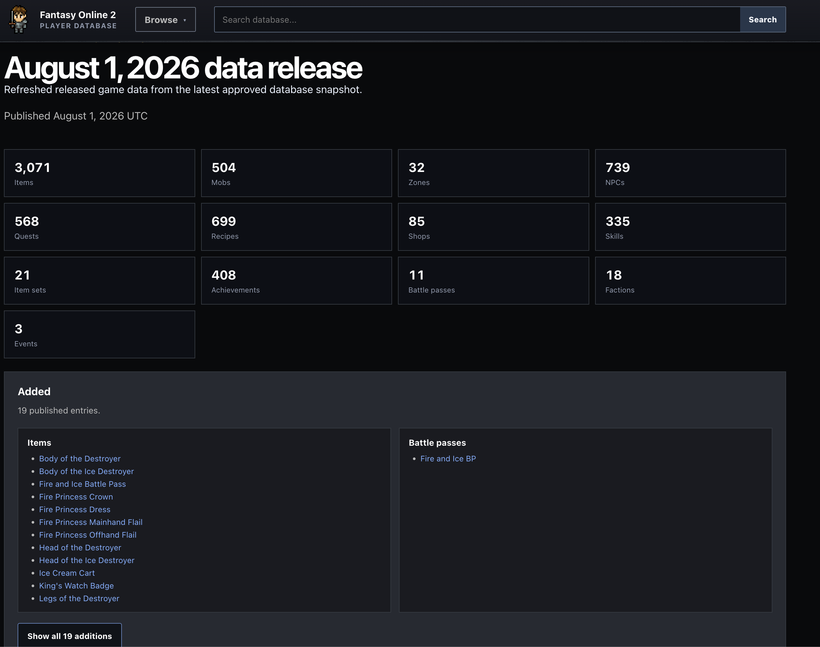
https://db.fantasyonline2.com/updates/2026-08-01
The Fantasy Online 2 Database now separates Market history from normal game updates too. Item pages can show whether recent and median sale prices moved up or down, with simple direction arrows so you do not have to compare every number manually.
Market prices no longer flood the normal update pages. Released items, mobs, quests, zones, shops, recipes, and other gameplay changes stay in the main game-data history. Market movement has its own weekly snapshots, pages, and feeds.
The first automatic snapshots showed why that separation was needed. A release with a handful of real game changes could appear to contain hundreds because routine Market movement was mixed into the same report. The numbers were correct, but the update page stopped being useful if you were trying to see what had actually changed in the game.
The database now answers those as two separate questions. The normal update page shows released content and gameplay changes. The Market update shows price movement.
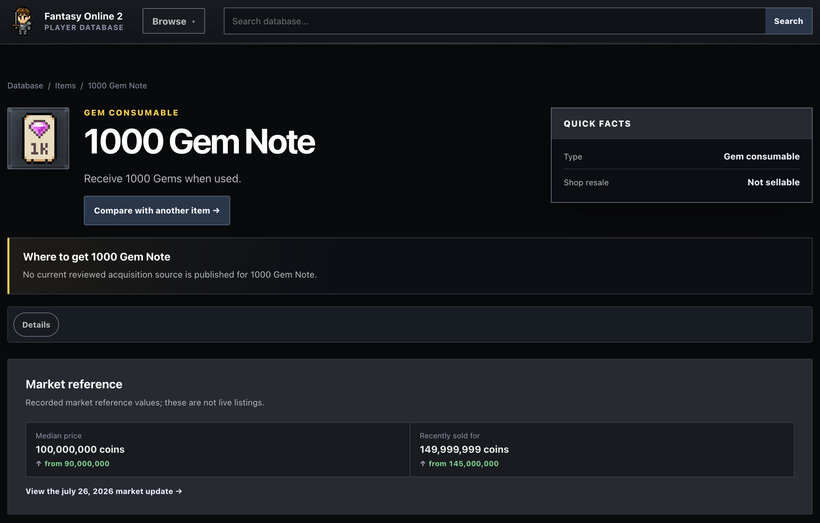
https://db.fantasyonline2.com/items/1000-gem-note-637
The four remaining items are Steam commerce and inventory delivery, final multiplayer Party acceptance, Community Events, and that Shop and backpack behavior. The giant missing windows are gone. What remains is much narrower integration and final acceptance work.
The next Fishing step is the part everyone will actually see: fishing holes, casting, reeling, equipment-based water access, catch rules, animations, and finally pulling a real fish into your inventory.
Fishing has officially escaped P.P.S. territory.
As always, please post comments or feedback here, on Discord, or email me.
Next devlog is in 2 weeks.
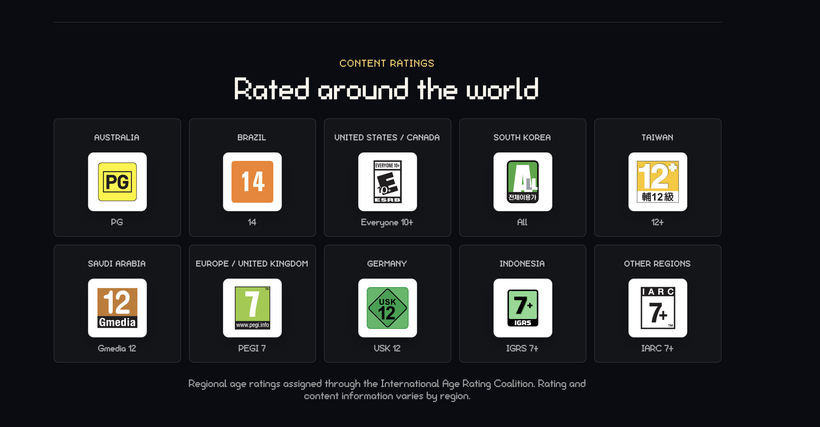
P.S. - We've been rated!