- Published on
Patch Notes #143 - PxEngine Launch
PxEngine Is Live!
After more than six months of development, PxEngine is now live across Fantasy Online 2.
This is much more than a visual update. PxEngine replaces the old client with a new engine built for faster loading, smoother performance, lower memory and bandwidth usage, responsive desktop and mobile layouts, improved input, complete interface localization, and a stronger foundation for everything we want to add next.
Launching the engine does not mean the work is finished. I’m fixing bugs, improving performance, and polishing the experience almost every day. Please use the in-game bug reporter to report any bugs, issues, annoyances, or suggestions you encounter.
The Road to PxEngine
The 19 devlogs below follow PxEngine from its earliest rendering and networking systems through gameplay, windows, mobile support, Market features, and complete interface localization.
Devlog #65 – PxPlayerMoveController
Devlog #66 – PxParticleEmitter
Devlog #73 – PxNavigationGuide
Devlog #75 – PxSkillBookWindow
Devlog #76 – PxCollectorWindow & PxCraftingWindow
Devlog #78 – PxMarket, Battle Passes, and More
Noob Island 2.0
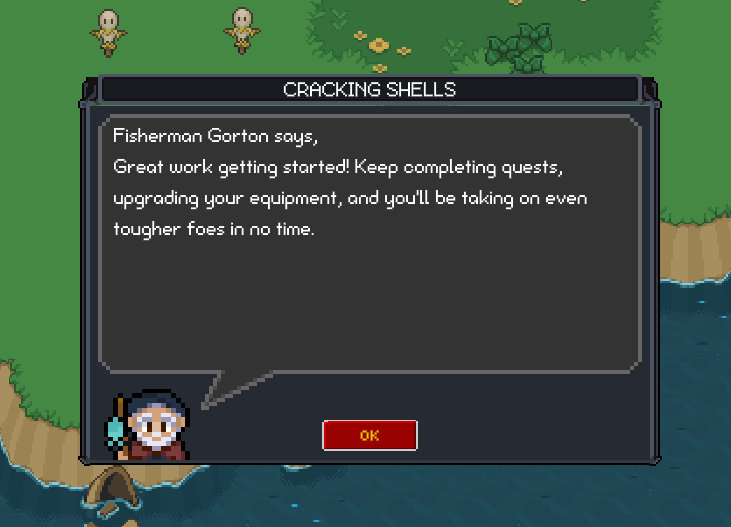
With the launch of PxEngine on all platforms we made a few changes to the intro quests on Noob Island! The goal was to make these easier to follow and get the player ready to rumble come Crab Coast. You may see some NPCs that have moved, have new dialogue or new quests all together!
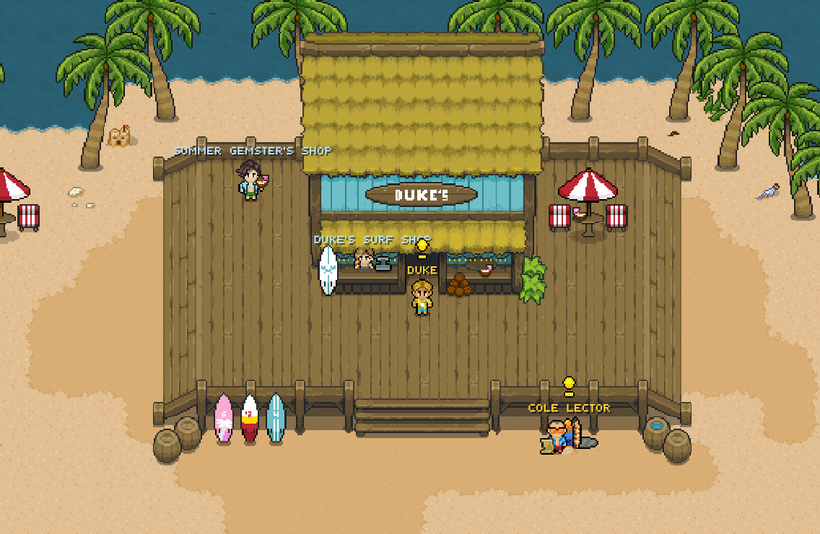
Surfside Shores, Sunken Sands and Wave of Waste
Summer time rolls on! The Summer event areas and quests will be sticking around another two weeks until August 28th! At that time they'll ride off into the sunset until next year!
Gemster's Shop Update
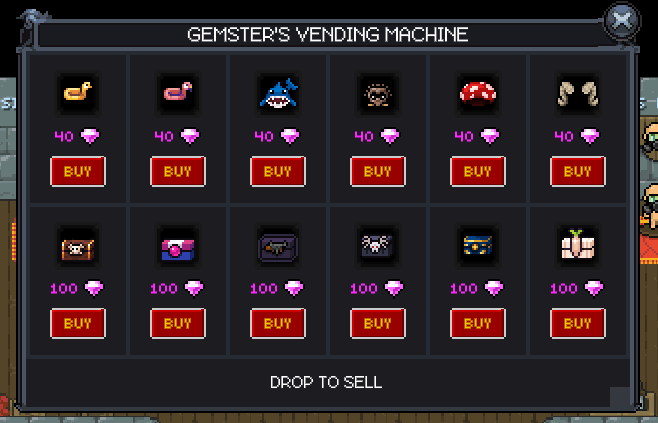
The Gemster has a new box and item for purchase! Head over to his shop to get the Octo-Hydra Box and the "Buffs Plz" Sign.




Gemster's Vending Machine
The Gemster will be wheeling his Vending Machine back to storage on August 28th! Make sure to get any items you're missing before they're gone.
Gemster's Vending Machine will make a return in the future holding a fresh stock of items.
Patch Notes
Moved The Locksmith in front of Guild Hall in MC
Moved T1 Shops to better space them out and also corrected the order to match the crafters by Bjorn
Move Bjorn a small amount
Moved T1 Crafters a small amount
Moved "What is Tier Armor?" sign a small amount
Moved Skill Trainer Wallace a small amount
Renamed exits in Gemster's Shop to "[Zone Name] Exit"
Changed Cave Entrance signs to "[Zone Name] Entrance"
Removed "Faction" from Faction Shop Name (Example: New World Order Faction Shop is now New World Order Shop)
Changed LOTD Shop to Legion of the Dead Shop
Changed Guard Captain Bill to Captain Bill
Changed Guard Captain Pete to Captain Pete
Moved Captain Bill a small amount
Moved Guardsman Warren a small amount
Moved Fisherman Santiago in Crab Coast WAY closer to King Crab and Royal Crabs
Added additional spacing between Pirate Shores Dungeon NPCS (Easy, Med, Hard)
Moved Obsidian Brotherhood Shop more to the east
Changed T1 Weaponsmith to Tier 1 Weaponsmith
Moved T1 Weaponsmith a small amount
Added additional spacing between Tier Armor Crafters in FUU
Moved Unobtainiumsmith below Tier 3 Armor Crafters
Noob Island Quest Changes
Changed first two quests dialogue to better suit an intro to the game
Changed NPC "Lori" to "Paul and Lori"
Updated Lori's art to show both NPCs standing side by side
Removed Angry Skele quest from Guardsman Phil and gave to Paul and Lori
Moved Guardsman Phil by Armed Skeles
Removed Smallish Ogre quest from Captain Pete
Gave Guardsman Phil quests for Armed Skeles and Smallish Ogres
Moved Sad Soldier and lowered Evil Escape quest requirement
Gamer's Patch Notes
Reduced memory churn during gameplay, movement, UI rendering, and duration updates for smoother, more consistent performance.
Skill books now open the Skillbook directly to your newly learned skill.
Consumed skill books now fly toward the Skillbook, making new abilities easier to find.
Improved server performance and loading efficiency.
Fixed daily-reset quest turn-ins.
Reduced bandwidth usage by sending PX clients only the player-stat data each update actually needs, while preserving legacy-client compatibility.
Improved save, reconnect, and network efficiency by automatically removing expired skill cooldown records without changing cooldown behavior.
Fixed mobs periodically overriding Hate and Taunt targets with unrelated nearby players during combat.
Battle Passes now show total BPXP progress and a live countdown to the next tier.
Improved Steam external links and in-game bug reporting.
Improved achievements, login reliability, review prompts, settings performance, crash recovery, and overall stability across iOS and Android.
The website now launches Fantasy Online 2 exclusively through the faster PX client, alongside updated dependencies and improved API documentation.
Increased NPC interaction range so visible NPCs can be clicked from farther away.
Party members can now be selected even when they are off-screen or in another zone.
Browser zoom now resizes the UI without revealing excessive map area, with ultrawide FOV capped appropriately.
Collector totals no longer display unnecessary leading zeroes.
Fixed clicks near HUD controls accidentally causing character movement.
Fixed heavy pointer input occasionally causing stuck clicks or drag states.
Fixed focused UI controls intercepting gameplay keyboard shortcuts.
Collapsed chat now remains pinned to the newest messages.
Added clear feedback when a full server redirects players to another server.
Restored Hate indicators to their original, more readable size.
Improved Steam audio startup reliability.
Fixed Guild Warfare XP gains not appearing after kills.
Update game servers to latest linux kernel.
Fixed skillbook casting animations flickering before playing.
Fixed skillbook cooldowns only progressing while their skill was visible.
Kept quest turn-in “GO” buttons accessible on small screens.
Improved system buff timer size and alignment for easier reading.
Fixed bags disappearing when placed inside their own inventory.
Opening UI panels no longer cancels quest auto-walking.
Fixed the Quest Log unexpectedly closing during movement.
Clicking a player’s name in chat now starts a whisper.
Added Mirabella Meadows.
Improved notification reliability, app stability, and compatibility with the latest platform updates.
Restored “Crafted by” information on item tooltips.
Added mobile-friendly guild creation directly from the Guild window.
Improved Codex map clarity and responsiveness on high-resolution displays.
Items now disappear from their original slot while being dragged.
Mob actor info now displays the mob’s faction beneath its name.
Added a Camera Distance slider under Display settings, adjustable from 80% to 120%.
Fixed saved settings sometimes resetting or failing to restore on the website and CrazyGames.
Skills such as Paradin’s Judgement can now be moved or removed during cooldown without resetting the cooldown display.
Fixed Steam Community Market item icons. https://steamcommunity.com/market/search?appid=2957110
Improved market price estimates by filtering out transfers and suspicious trades while safely refreshing item values over time.
Added direct Steam Community Market links with official Steam branding to supported item pages.
Fixed attack speed buffs incorrectly reducing per-hit damage.
Added a new Codex Help browser with searchable topics and quick access to the game database.
Fixed final-blow damage numbers not appearing when defeating enemies.
Fixed right-to-left drag selection in market search and other text fields.
The Fantasy Online 2 Database now shows current Steam Community Market prices, listing counts, and update times on eligible item pages.
The Database now uses improved Cloudflare caching with automatic cache purges after deployments for faster page loads.
Added fishing gear stats and region details.
Reduced server traffic by loading quest definitions from the data endpoint.
Improved Steam inventory deposit syncing and purchase feedback.
Improved Steam subscription processing feedback.
Added newest-first Steam inventory ordering.
Added lightweight packet telemetry for monitoring outbound traffic.
Added optional notifications when one of your Market listings sells.
Market cancellation now refreshes cleanly without unnecessary flickering.
Added language-first onboarding for new players.
Added complete Spanish, Brazilian Portuguese, Vietnamese, Simplified Chinese, Japanese, and Korean support.
Improved translated NPC names, dialogue, quests, skills, items, and Steam Shop text.
Added more reliable recovery when game assets temporarily fail to load.
Improved startup speed by loading more game data in parallel.
Added smoother, pixel-perfect camera scaling across desktop, Steam, and mobile.
Improved text selection and cursor behavior in the Steam client.
Added pending friend-request indicators to the social drawer.
Added confirmation before removing skills from the hotbar.
Improved Guild Point shop price displays.
General and display settings now carry correctly between characters.
Improved achievement row layout and progression tracking.
Crafting results no longer display unnecessary stack counts.
Prevented equipped bags from being accidentally replaced.
Dragged items now recover safely if a drag is interrupted.
Fixed zero-XP progress bars and unnecessary faction labels on zero-XP enemies.
Improved mail by hiding unclaimable entries and animating claimed items into the backpack.
Bank transfers now automatically select the destination tab containing the target slot.
Improved Steam-to-mail transfers so completed deliveries no longer remain stuck as pending.
Improved Steam Gem Shop reconciliation after purchases, deposits, mail transfers, and delayed inventory updates.
Improved Steam Gem Shop product cards, inventory presentation, and transfer controls.
Fishing gear tooltips now display Fishing Power, Line Strength, and localized region names.
Fishing Region now displays readable values such as Freshwater, Lava, Multiple, All, or None.
Hovering or tapping Fishing Region now lists every exact region the equipped setup supports.
Moved the Fishing equipment and stats upward for a cleaner, more compact layout.
Made the software mouse pointer dramatically more responsive by eliminating unnecessary GUI work.
Reduced HUD notification rendering overhead while preserving all animations.
Removed redundant GUI layout updates to reduce interface hitches.
Made inventory updates apply immediately without briefly locking or dimming every inventory slot.
Added selectable fishing holes with localized eligibility feedback and polished cursor labels.
Made supported Steam purchases appear instantly while retaining compatibility fallback refreshes.
Improved Steam Inventory so new items appear first, scroll into view, and show clearer refresh status.
Clicking a player’s chat name now opens and preserves the correct whisper conversation.
Fixed Windows Steam text-entry and software-pointer input issues.
Hardened client bundle loading against stale legacy build files.
Greatly improved market and broker search speed!
iPhone & iPad: (Update in the TestFlight app)
https://testflight.apple.com/join/C87yj5vZ
Android: (Update in the Play app)
https://play.google.com/store/apps/details?id=com.fantasyonline2.fov4
New devlog on Sunday!