- Published on
Devlog #80 - PxEngine Start
Previous: https://www.patreon.com/FantasyOnline2/posts/devlog-79-client-165434385
Before we start I'd just like to hand out a big thank you to all that have reported bugs using the new in-game bug reporter! Every day for the last few weeks many of you have submitted excellent bug reports. About 90% of the reports were real bugs that I was able to fix in less than a day. If you find a bug, an annoyance, or even if you have a suggestion please don't hesitate to press F8 or click the "Report a bug" button in the Settings window and send a report my way! And now, on to the devlog.
PX is not the upcoming client anymore. It is Fantasy Online 2!
The public Steam branch now launches directly into PX when you press Play, and Steam players no longer need to select release_candidate. The website, CrazyGames, Android, and iOS are using the same PX client too.
Getting PX onto the public Steam branch required much more than loading the website inside Electron. Fantasy Online 2 now has a complete desktop shell built around Electron and Steam Bridge, with separate Windows, Linux, and Apple Silicon packages. The shell handles Steam authentication, inventory, commerce, overlays, input, settings, updates, recovery, and the native desktop window around PX.
The macOS version is a native Apple Silicon application. It is signed, notarized, stapled, and packaged with the Steam runtime it needs. Every Steam release gets a new Electron build number, so macOS and Steam can tell one package from another instead of discovering one of the many stale QA builds I have registered over the last month. I have learned more about LaunchServices than any game developer should ever need to know.
Windows needed a completely different release path. The Steam depot now contains the real unpacked game installation instead of treating a portable self-extracting executable as the installed client. It includes the correct Windows Steam Bridge module, Valve libraries, and Microsoft graphics runtimes.
The release pipeline checks every executable file before the depot is published. It rejects missing runtimes, unexpected executable code, macOS or Linux modules in the Windows package, mixed signing states, and Valve or Microsoft files that have lost their trusted upstream signatures. The Fantasy Online 2 application code can remain unsigned while the third-party runtimes keep the signatures they originally shipped with.
Steam can store normal PX preferences through the authenticated Fantasy Online 2 account now too. Language, onboarding, display settings, and the other everyday choices no longer disappear because the desktop shell was missing the account-storage bridge used by the website and mobile versions.
Local changes are kept per Steam account and merged over the server copy. If the settings service is temporarily unavailable, the client keeps working and retries later instead of throwing the current settings away. This fixed the repeated language question some Steam players were seeing after updates or relaunches. Settings are ready before PX becomes playable, so the game no longer starts with an empty preference set and replaces it a few seconds later.
Non-English keyboard layouts received another full pass. Steam Bridge now preserves the operating system keyboard layout instead of treating every physical key like it came from an American English keyboard. Hungarian and German QWERTZ players can type the punctuation printed on their keyboards, including shifted characters such as / and &, without the native host translating the key through the wrong layout first.
Text composition, forward and backward selection, and Chat editing were tightened at the same time. PX and the native shell now agree much more consistently about whether the keyboard and mouse belong to gameplay, a text field, or the operating system.
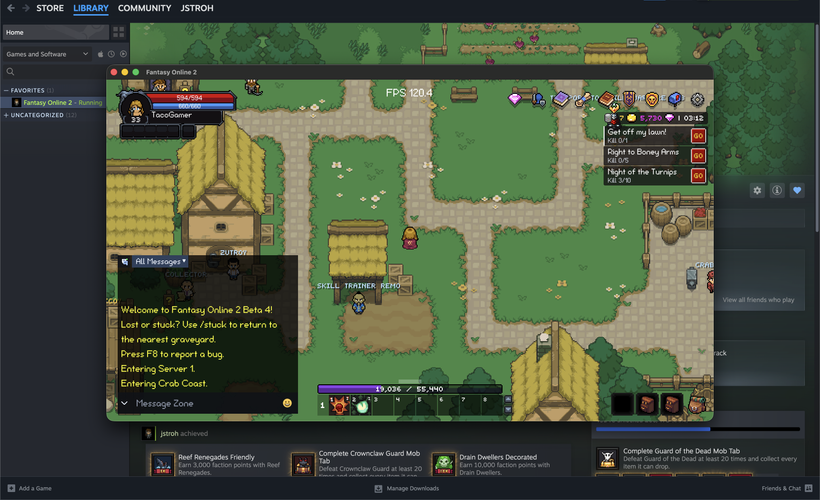
The desktop camera changed several times once PX reached real Steam monitors. Players were using everything from small 60 Hz laptop displays to 1440p monitors running at 75, 144, 165, 180, and 200 Hz. A camera that felt right on one setup could feel much too close or too far away on another.
I tested a strict integer pixel-scaling mode with dedicated 2x through 5x choices. It cleaned up some pixel-art sampling, but it made the field of view depend too heavily on resolution and display scale. A mathematically perfect scale is not very useful when one player can barely see past their character and another can see half the zone. I'm still working on the best way to preserve pixel art at fractional zooms.
Steam now uses the same adaptive, viewport-relative camera policy that already worked well on mobile. Camera Distance remains a normal 80% through 120% setting, resizing keeps the distance you selected, and the experimental Steam pixel-scale values are migrated into the current system. Steam Deck keeps its adaptive fullscreen view instead of inheriting a desktop camera that would be far too close on its 1280 by 800 display.
The high-refresh reports became the largest Steam investigation. Several players reported that the PX counter showed the expected frame rate while movement still looked delayed, uneven, or occasionally smooth for only a few seconds. Making the window smaller did not help, and the reports came from machines ranging from integrated graphics to an RTX 4060 Ti.
I added a small renderer-diagnostics file so I could separate PX rendering from Steam Bridge presentation. It records display timing, Electron GPU frames, native presentation, texture imports, frame gaps, graphics recovery, and a few limited system details. It does not record Chat, typed input, account information, character names, Steam IDs, credentials, or arbitrary URLs. The file resets when the game build changes and stays capped at 256 KiB.
The current production build collected enough information to isolate the problem. Chromium was rendering. WebGL was rendering. The players’ GPUs were not overloaded, and the final DXGI Present call was fast. The delay happened after Electron produced a frame but before Steam Bridge finished handing the texture back.
Electron renders from a finite pool of GPU textures. Steam Bridge copied each frame into a texture it owns, but the current public path held Electron’s source texture until the GPU fence said the copy had fully completed. On one 75 Hz system, that wait regularly used more than the entire 13.33 millisecond frame budget. PX could report 75 FPS internally while the native window received only around 65 unique frames and repeated the rest.
I have completed the next repair for that path. Steam Bridge now queues and flushes the D3D11 copy, releases Electron’s producer texture once the native side safely owns the submission, and tracks the actual GPU completion separately. The render loop no longer waits for the GPU to become idle after every frame.
There are still strict limits on outstanding work. Slow copies are recorded for diagnostics. A copy that remains stuck for two seconds causes one controlled graphics restart instead of leaving the game frozen indefinitely. The native, shell, TypeScript, lint, and production-build checks are passing, but this belongs to the next Steam build. It is not in the public build yet.
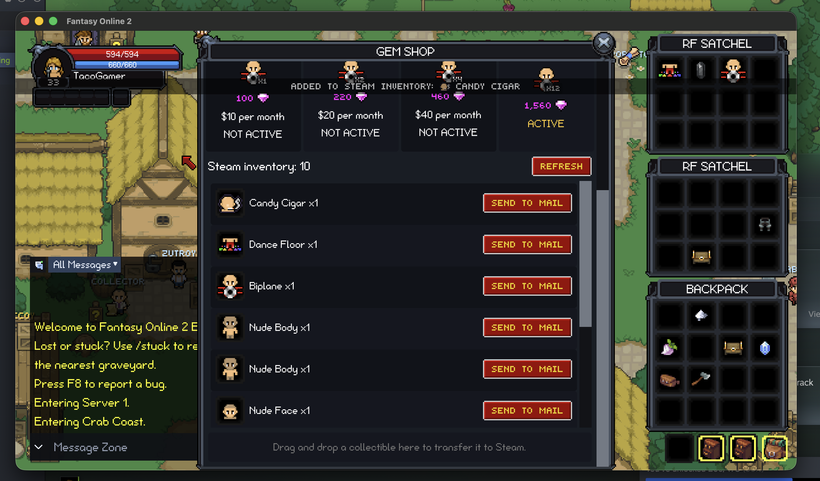
Steam commerce has also moved out of test tools and into the actual game. The Steam Gem Shop can display the player’s native Steam Inventory, purchase Gem Notes, manage memberships, refresh Steam items, deposit game items into Steam, and send Steam items back into Fantasy Online 2 through Mail.
Steam’s Inventory Service can briefly return an older cached snapshot after a purchase or transfer. That used to make a successful action look like it had done nothing until another refresh suddenly revealed the item. PX now treats payment completion, Steam granting the item, and the updated inventory becoming visible as three separate moments instead of pretending all three happen at once.
Manual refreshes can perform a limited series of confirmation reads. PX tracks the exact deposit or delivery it is waiting for, so an unrelated inventory change cannot be mistaken for success. Newly observed items appear first, stack quantities settle correctly, and an older snapshot cannot resurrect an item Steam has already confirmed was consumed.
Items moving from the game into Steam are locked while the request is active and assigned their own request identity. The server returns the exact Steam item created by Steam’s Inventory Service, so two deposits of the same item type cannot be confused with each other.
The reverse path works through Mail. A Steam item can become a claimable Mail attachment, and the arrival of that Mail entry proves the server completed the transfer. The Steam row leaves Sending, its quantity updates, and the item flies from the Steam inventory row toward the mailbox icon.
Mailbox capacity is reserved before a burst of requests is allowed through. Repeated clicks cannot launch five transfers and discover afterward that there was only room for one. Duplicate callbacks, delayed responses, stale snapshots, full mailboxes, interrupted operations, and repeated Send to Mail presses all have recovery paths.
The first live Gem Note purchase exposed another delay. Steam had already returned an authoritative inventory result containing the purchased item, but the shell ignored it and waited for PX’s normal polling cycle. The purchase was complete, yet the Gem Note took several more seconds to appear.
The shell now tracks the purchase before opening the Steam transaction, validates the returned owner and item definitions, releases every Steam result handle exactly once, and sends the completed item directly to the PX renderer that started the purchase. PX keeps its polling path for compatibility with mixed client and shell versions, but a current pair can show the Gem Note as soon as Steam delivers it.
Membership purchases are clearer too. A successful Steam FinalizeTxn result returns the Gem Shop to a usable state immediately, marks the selected membership active locally, and explains that the rewards will arrive shortly. Steam’s later report still reconciles the final state, but its normal delay no longer leaves the window stuck on Processing or briefly restores the previous membership. There's still work to be done here in order to deliver rewards instantely but it's much better off than it was.
The current Steam, PX, and Bugdesk also removed most of the work required to send useful performance evidence. When a Steam player presses F8 and submits a manual report, PX will request a fresh renderer snapshot from the trusted shell and attach the bounded diagnostics file automatically.
This only happens as part of a report the player chooses to submit. It is not a background upload of someone’s computer activity. The file remains capped and does not contain Chat, typed input, character names, Steam IDs, credentials, or browsing history.
Bugdesk’s attachment path has been hardened for that update too. It checks the expected filename, MIME type, base64 encoding, real file signature, individual attachment size, and total report size. If file storage succeeds but saving the report later fails, the uploaded file is removed instead of sitting there forever as an orphan. Failing to collect a screenshot or diagnostics file never prevents the player’s written report from being sent.
Retiring the old client from the normal game path also let me remove a ridiculous amount of data from the SmartFox connection.
Health and Energy updates were one of the first targets. The old message carried a complete actor snapshot whenever a player, mob, or resource changed Health or Energy. PX now receives a compact update containing only the values that changed and merges them into the actor state it already has.
That had to preserve damage numbers, healing, Energy use, death, resurrection, selected targets, Party meters, pets, buffs, debuffs, cooldowns, and overhead XP. Comparable live samples showed around a 65% reduction in SmartFox payload per connection after the change.
Static definitions were the next obvious waste. Zone and NPC definitions no longer travel inside ordinary gameplay messages. PX loads them from the cached Fantasy Online 2 data service, and NPC data is loaded when a zone is needed instead of downloading every NPC in the game at the beginning of the session.
Skills and quests use the same path now. The server still owns combat, Skill effects, validation, cooldowns, Quest progress, rewards, NPC interactions, and every gameplay decision. It simply does not need to serialize the complete definition catalogs into giant JSON strings and send them again whenever a character logs in or one Quest objective changes.
The Quest numbers were ridiculous. A full Quest Log update used to average around 1.25 MB because it carried the definitions beside the character’s actual Quest state. The new update averages around 12 KB. An individual Quest update dropped from roughly 3.6 KB to about 51 bytes. PX still receives everything needed to display and play the Quest. It just does not receive the complete definition again when one number changes.
Short production samples showed SmartFox traffic falling from around 12.2 KB per second per player to 8.6 KB during comparable periods. Another reading measured about 0.76 MB per second across 85 connected players, compared with one especially horrible earlier sample of 3.87 MB per second. Player activity changes too much to use short readings as a clean billing comparison, but the definition reductions are exact.
Sending less data means less work everywhere. The server performs less JSON serialization, allocates less temporary memory, compresses and encrypts fewer bytes, and builds smaller queues during login spikes. Clients download less, parse less, and do less decompression, which matters even more on phones.
Fantasy Online 2 also sends a huge number of tiny updates where the TCP and TLS overhead can be larger than the game message. SmartFox can now combine more of those small writes without abandoning the NIO2 networking system.
I added low-overhead packet telemetry before TLS hides the individual commands. Every five minutes it records how often each command was sent, how many players received it, and an estimate of its uncompressed size. That is what exposed the old Quest messages, and it gives me an actual order for future reductions instead of staring at encrypted traffic and guessing.
The deployment path had to change along with those definition catalogs. Every PX release now publishes an immutable, content-addressed JavaScript bundle and advertises its exact filename through build.json. The website, mobile apps, CrazyGames, and Steam can verify and load that exact build instead of relying on one mutable main.js URL that may be cached differently at every layer between the player and the server.
This became important when an older CrazyGames client connected to the new definition-free server and appeared to have no Skills. The character had not lost anything. The cached client was still waiting for the server to send a catalog PX now downloads from the data service.
Another rollout problem could happen when one CDN edge received the new manifest before it received the matching bundle. A cached 404 could poison every retry even after the correct file became available. The loaders now refresh the manifest, bypass the stale response, and recover the matching bundle instead of reconnecting forever.
Startup is faster too. Fonts, locale preparation, skins, definitions, and other independent prerequisites can load together instead of waiting through one long chain. The parts that actually depend on each other remain ordered, and PX still refuses to report itself playable until the required data is ready.
The database-driven localization project moved much faster than I expected after the last devlog. Spanish, Brazilian Portuguese, Vietnamese, Simplified Chinese, Japanese, and Korean were prepared as versioned releases with exact apply, verification, cleanup, and rollback plans, then activated alongside English fallback behavior.
This is the game content that does not live in the 879-string PX interface catalog. It includes items, Item Sets, mobs, NPC names and dialogue, shops, quests, skills, achievements, recipes, zones, factions, Battle Passes, Community Events, Help topics, and the other definitions that come from the game data.
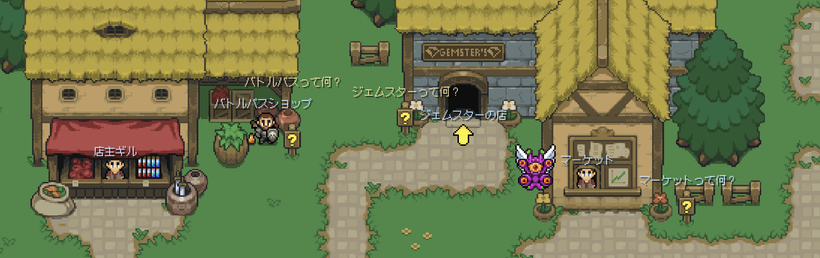
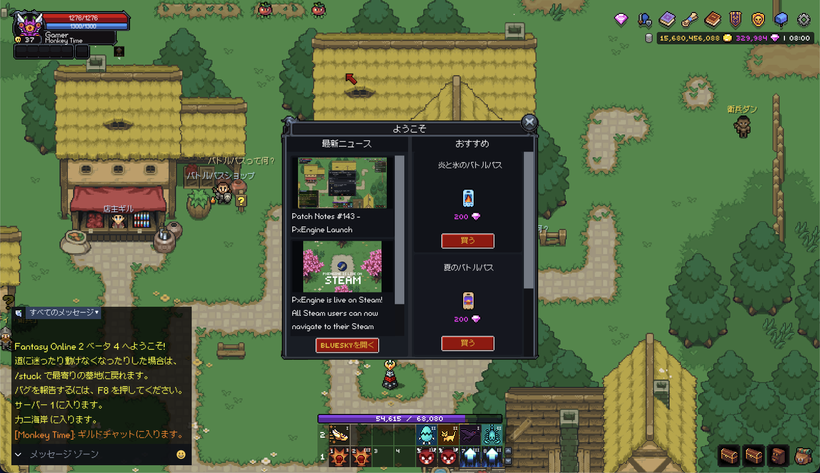
The completed release covers 6,348 English concepts and 32,938 localized runtime rows across the six additional languages. The final completion sweep filled another 5,156 missing translations, and the audit across all 14 content families ended with zero missing rows and zero mismatches in the reviewed release data.
This was not treated like a giant empty-cell exercise. Character names, locations, item references, Quest chains, mechanics, variables, punctuation, and recurring terminology all needed to stay connected. Several English source lines were corrected because the original wording was unclear enough that it would have produced a bad translation in every language.
The public Fantasy Online 2 Database uses the same released definitions. Navigation, search, directories, item and mob pages, quests, maps, metadata, social previews, breadcrumbs, and language-specific sitemaps all follow the selected language. Switching languages keeps you on the matching page whenever one exists instead of throwing you back to an English homepage.
The larger page sections were included too. Long descriptions, objectives, requirements, rewards, connected items, maps, and return links no longer fall back to English just because they are more complicated than a name field. The game and Database finally use the same terminology for the same item, Skill, NPC, and Quest.
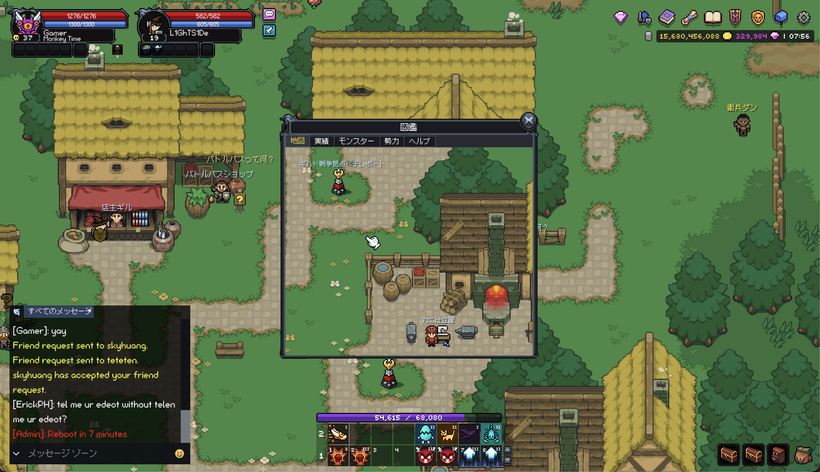
PX has a full Help section inside the Codex now as well. Topics come from the data service and use the normal Classic and Minimal interfaces instead of opening an external webpage. A topic list sits on the left, the article scrolls separately on the right, and the last entry links directly to the Fantasy Online 2 Database when someone needs maps, builds, drop tables, or more detail than belongs in the client.
The Codex Map also renders at the display’s real density now, which makes labels and map details much sharper on Retina and other high-DPI screens.
The Database continued changing alongside the game. Market price history stays separate from normal content updates, so routine economic movement does not bury actual changes to items, mobs, quests, shops, zones, and recipes.
Transfers where the buyer and seller belong to the same account are excluded from public reference pricing. Those trades may reorganize items or coins, but they should not teach the price guide that a basic item is suddenly worth hundreds of thousands of coins.
Price recalculation now works through small slices of the released catalog instead of running one enormous Market-history query. Older items remain part of the calculation without placing one large sudden load on the game database.
Eligible item pages can link directly to the Steam Community Market and show the published availability captured during the Database build. Consumables, Gem Notes, and anything else that is not intended for public Steam trading are excluded.
I also fixed a route-prefetch problem that was generating a ridiculous number of unnecessary Database requests. Public pages and assets can remain cached at Cloudflare much longer, while a completed deployment purges the previous release so visitors are not stuck on stale content.
Android turned this into a much larger real-world QA pass than I could have created locally. Thousands of players arrived much faster than planned and immediately produced a wider range of devices, Android versions, screen shapes, GPUs, and platform-service states than a few development phones ever could. Google Play is currently delivering a device-specific download of only around 26 MB despite the native shell, PX renderer, platform integrations, and game data behind it.
That traffic found native problems that were difficult to reproduce in isolation. Expo and the surrounding packages were updated together, the patched React Native build path was tightened, push registration was restored, native achievement recovery became more tolerant when platform services were unavailable, and several Android Fabric mounting crashes received focused repairs.
The analytics are finally useful for more than confirming that the application opened. The system now follows launches, successful game readiness, recovery, platform sessions, purchases, Quest starts, objectives becoming ready, Quest completions, level-ups, and periodic progression snapshots. Website, CrazyGames, Android, and iOS activity can be separated instead of becoming one unexplained total.
The early data showed a noticeable falloff around the first Quest sequence and the approach to level 4. That confirmed the opening progression needs clearer connections between Quests and a better way to locate the required mobs. Dino rebuilt and retuned that section using actual player behavior instead of relying only on people who already know where everything is.
A daily BigQuery export keeps that progression history beyond the normal Analytics window. Once the revised opening reaches players, I will be able to compare how many people start, finish, level up, and continue into the next area instead of guessing whether the changes helped.
Fishing has moved well beyond the four equipment slots shown in the last devlog. The server now has a versioned data model for fish definitions, Fishing Holes, regional access, and the weighted fish pools attached to each hole.
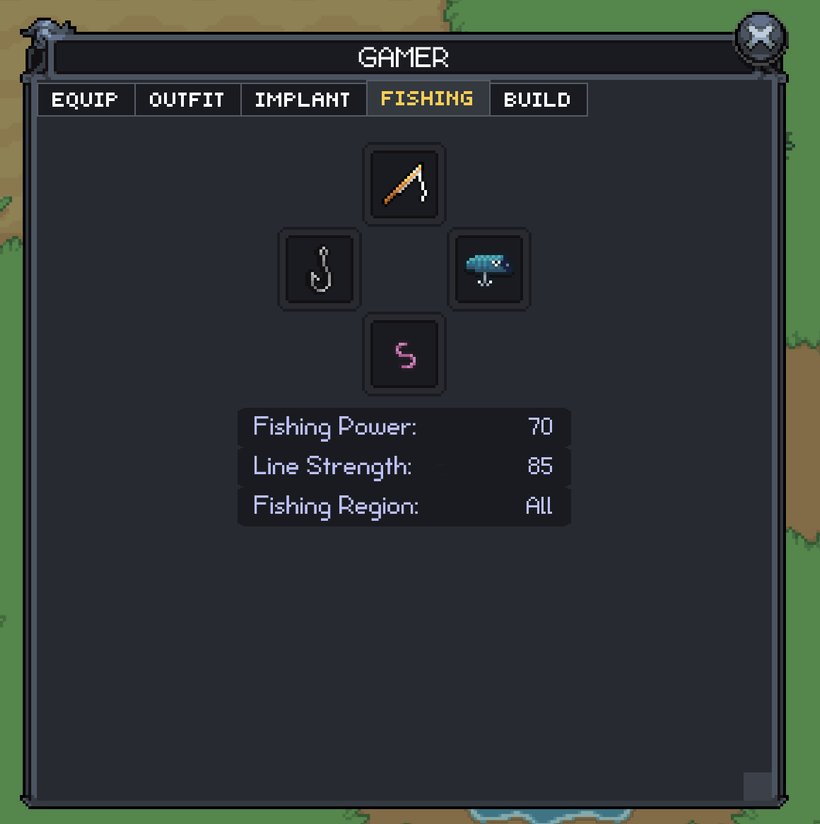
The Character Fishing tab displays Fishing Power, Line Strength, and Fishing Region using authoritative values sent by the server. Fishing Power will determine which fish your setup can reasonably handle. Line Strength gives the server a real value to use when a fish fights against the line.
Fishing Region is not one fixed label. Equipment can support Freshwater, Ocean, Deep Sea, Lava, Infested, Frozen, several regions, every region, or none. The Character panel keeps that compact, while the region and Fishing Gear tooltips explain the exact waters the setup supports.
Fish definitions can control their region, health, required Fishing Power, reel-marker behavior, line damage, catch weight, length ranges, donation value, and whether the fish is enabled. Fishing Holes have their own region rules and bite timing, while weighted pools decide which fish can appear there.
The first complete preview data is in place with a disabled Freshwater Pond and Toy Trout. Toy Trout is “A tiny freshwater trout that looks like it swam out of a toy box.” The fish and Fishing Hole are translated into all seven languages, so Fishing is being built on the actual localization and definition systems from the beginning.
This still is not the casting and reeling loop. What exists now is the server-owned system underneath it: equipment statistics, water access, holes, fish, weighted catch pools, localized content, and the path that will eventually place a real caught fish into your inventory.
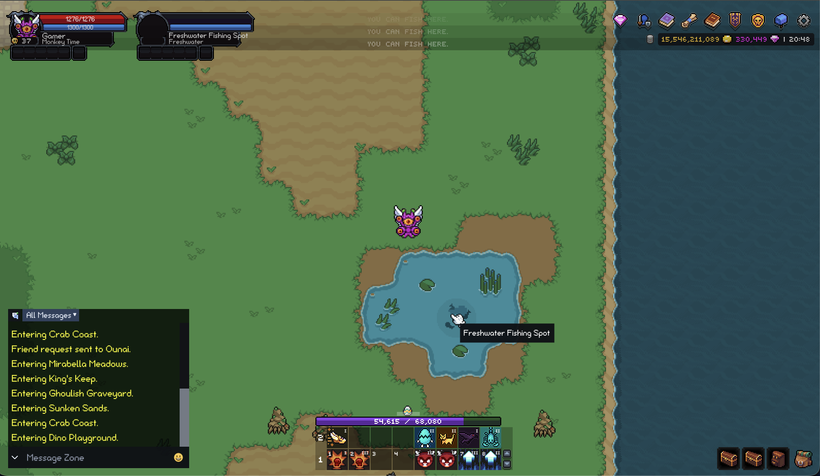
A lot of player bug reports arrived around the larger work. Skillbook casting begins cleanly instead of briefly flickering before the real cast starts, and cooldowns continue progressing while the Skillbook is closed. Rearranging the hotbar no longer damages or restarts the authoritative cooldown.
Battle Pass progression is clearer too. Each active pass shows total BPXP and time remaining above the progress bar. The first locked tier explains how much BPXP remains before it opens, and the target moves forward automatically when the next tier becomes relevant.
Chat names highlight correctly and can be clicked to begin a whisper. Escape cancels it, and pressing Enter on an empty whisper returns Chat to All Messages. Pending Friend Requests are visible on the social drawer button instead of requiring you to open the drawer to check.
Very small screens keep at least one tracked Quest and its GO button visible. The bag bar can move down to make room rather than pushing the only navigation action outside the screen.
Several dangerous inventory cases were closed too. Bags cannot be placed inside themselves, Bag Bar bags cannot replace one another, and interrupted drags restore their source item. Pending items remain hidden from their original slot until the move settles. Bank quick transfers select the tab that received the item, malformed or unclaimable Mail stays out of the usable list, and claimed items fly toward the backpack.
Character portraits received a deeper correction after large outfits exposed assumptions in the old crop code. PX now treats every character sheet as the fixed three-animation-column by four-direction-row layout it uses. The selected frame is isolated so neighboring cells cannot bleed into the portrait, and every character, outfit, and direction uses the same crop and zoom rules.
Combat feedback received several useful fixes. The final hit that kills an actor displays its damage instead of disappearing with the actor. Haste can no longer reduce attack damage by feeding the shortened attack interval into the damage calculation. Guild Warfare bonuses rebuild correctly after a server restart, Guild Warfare XP gains appear with the normal overhead gain text, mob information can show faction membership, and zero-value XP bars no longer draw misleading progress.
Thank you to everyone who sent Steam reports, renderer logs, purchase details, keyboard layouts, screenshots, and Android crash information. The first week on the public Steam branch was louder than a quiet release-candidate test, but it gave me real monitors, real GPUs, real Steam delays, and real input layouts to work from.
As always, please post comments or feedback here, on Discord, or email me.
Next devlog is in the future.
P.S. - For those using the "Open Testing" track version of FO2 on Android, please delete and install the live "Production" build from https://play.google.com/store/apps/details?id=com.fantasyonline2.fov4